$ cat /writeups/webhacking-recon-techniques
WebHacking-Recon Techniques
Introduction
Hello Hackers, Hope you’ve grinding hard and ethically? It’s been a while, In this writeup i will share some Reconnaissance techniques that will help you to succeed in your bug bounty or Web Application Hacking. As we all know Recon is a crucial stage in hacking, Exploiting a target system is quite easy if you know much about the system and how it works(hence my philosophy 80% recon, 20% exploitation).Enough talking, Let’s get our hands dirty!!
Passive Recon Techniques
🧭 Walking Through a Web Target Manually - Recon Like a Human
“Before you automate, you observe. Before you exploit, you understand.” Manual recon is where real hackers sharpen their instincts.
Manual recon is the art of exploring a target website using your eyes, brain, and browser—without jumping straight into tools like nmap, ffuf, or Burp Intruder. It helps you understand the site like a real user (and a developer), and often reveals low-hanging bugs that automation can overlook. Before you start running automated tools, Try to uncover every feature in the application that users can access by browsing through every page and clicking every link. Access the functionalities that you don’t usually use.
For example: if you’re hacking Facebook, try to create an event, play a game, and use the payment functionality if you’ve never done so before. Sign up for an account at every privilege level to reveal all of the application’s features. For example, on Slack, you can create owners, admins, and members of a workspace. Also create users who are members of different channels under the same workspace. This way, you can see what the application looks like to different users. This should give you a rough idea of what the attack surface (all of the different points at which an attacker can attempt to exploit the application) looks like, where the data entry points are, and how different users interact with each other. Then you can start a more in-depth recon process: finding out the technology and structure of an application.
🌐 Whois and Reverse Whois Lookups-Peeking Behind the Domain
“Every domain has a story — and WHOIS lets you read the first chapter.”
WHOIS is a protocol used to query domain registration information. It tells you who owns a domain, when it was registered, where it points to, and sometimes reveals admin contact emails, organization names, and related domains — a goldmine during recon.To query whois information, just simply type
whois [Target Site]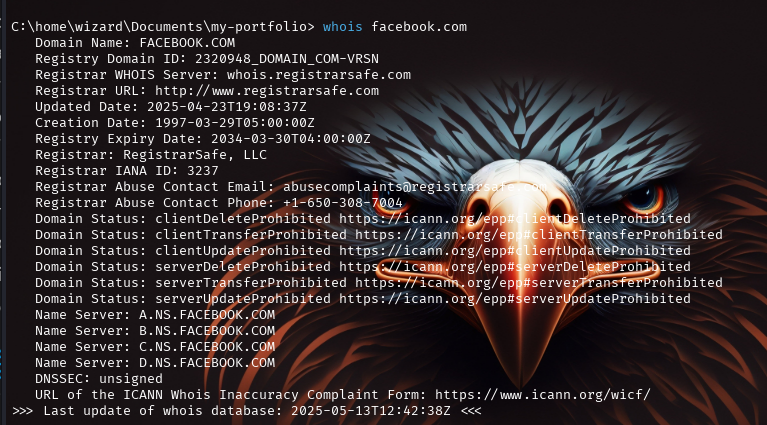 This information is not
always available, as some organizations and individuals use a service
called domain privacy, in which a third-party service provider replaces
the user’s information with that of a forwarding service.You could then
conduct a reverse WHOIS search, searching a database by using an
organization name, a phone number, or an email address to find domains
registered with it. This way, you can find all the domains that belong
to the same owner. Reverse WHOIS is extremely useful for finding obscure
or internal domains not otherwise disclosed to the public. We can use a
public reverse whois tool like
ViewDNS.info to conduct this
query.
This information is not
always available, as some organizations and individuals use a service
called domain privacy, in which a third-party service provider replaces
the user’s information with that of a forwarding service.You could then
conduct a reverse WHOIS search, searching a database by using an
organization name, a phone number, or an email address to find domains
registered with it. This way, you can find all the domains that belong
to the same owner. Reverse WHOIS is extremely useful for finding obscure
or internal domains not otherwise disclosed to the public. We can use a
public reverse whois tool like
ViewDNS.info to conduct this
query. 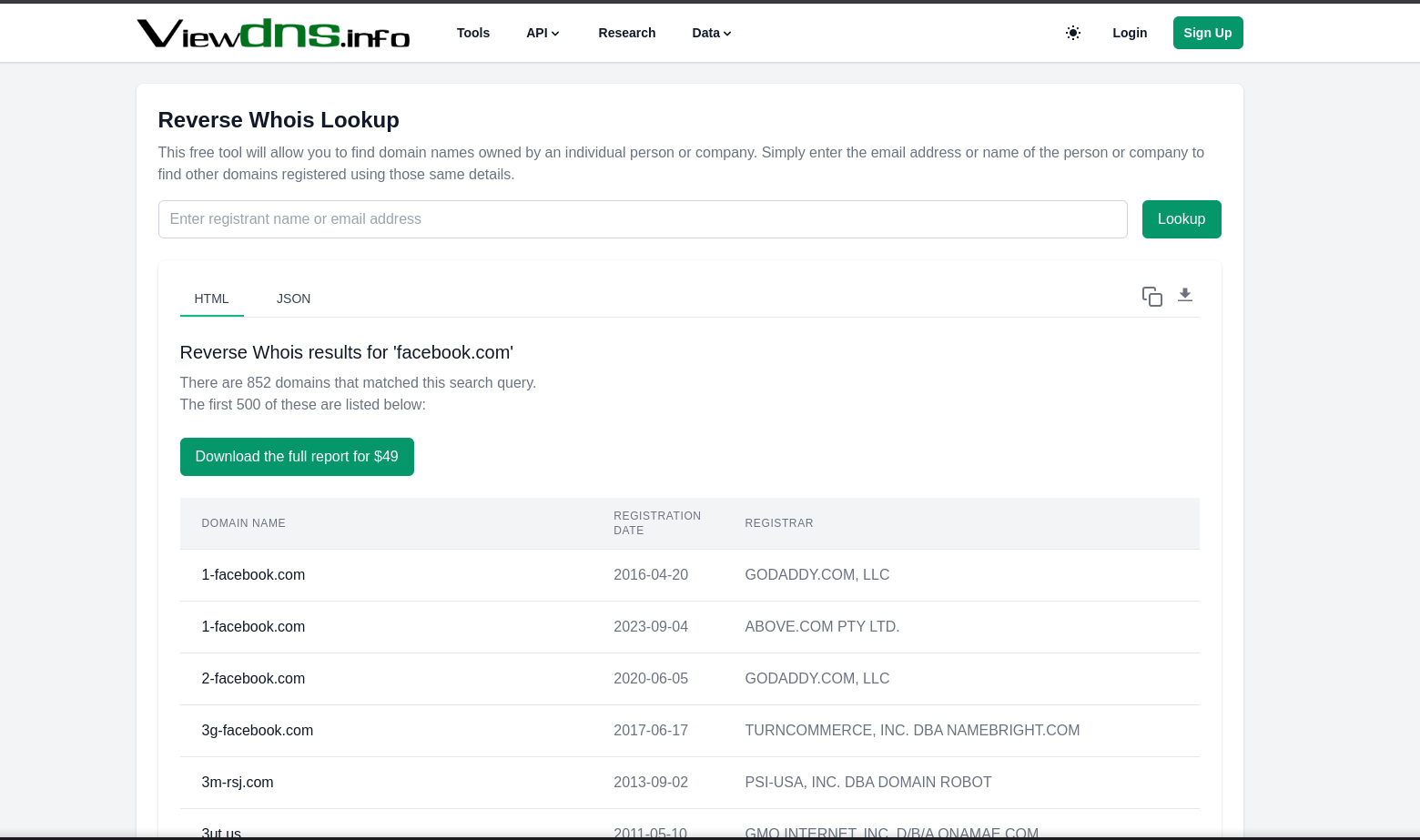 🚩 Red
Flags to Look Out For
🚩 Red
Flags to Look Out For
- Recently registered domain - Might be used in phishing or shady activity
- Short TTL or temporary hosting - Signs of suspicious infrastructure
- Reused email/contact info - Can be tracked across domains
- Expiring domain - Can become vulnerable or forgotten
WHOIS is your first step into the DNS layer of web reconnaissance. It’s simple, powerful, and often reveals the invisible strings that tie domains, companies, and infrastructure together.
🧠 DNS Enumeration - Unmasking the Infrastructure
“Before you can break into the castle, you map its walls, gates, and hidden tunnels — DNS is that map.”
DNS (Domain Name System) enumeration is the process of collecting DNS records and related infrastructure data about a target. It helps identify: Subdomains, IP addresses,Email servers,Name servers,Load balancers,Misconfigured or forgotten services. First, we need to discover the IP Address of the server by using nslookup. The syntax go like:
nslookup [Target Site]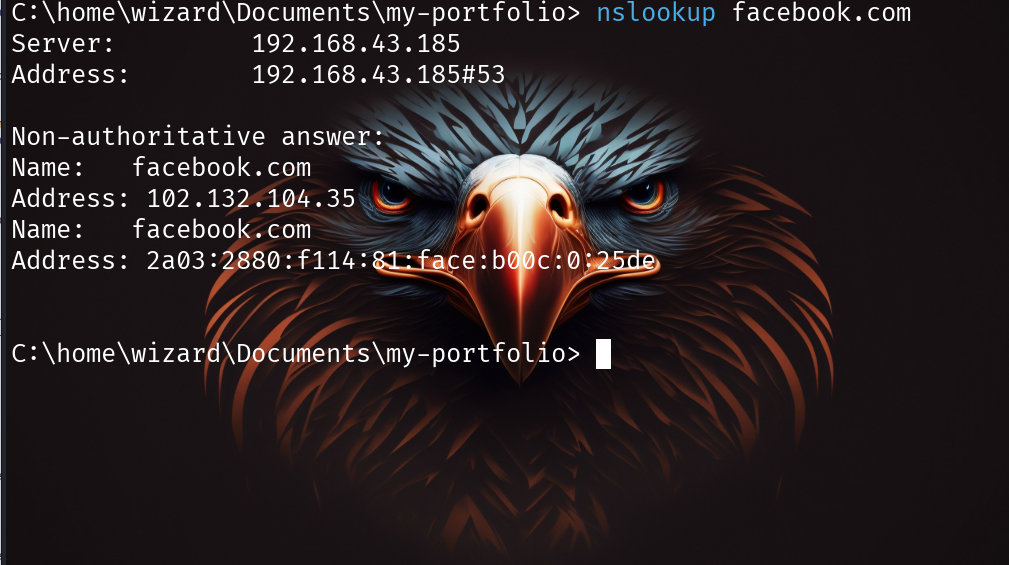 You can use query for
a specific record type by specifying the type option: The record types
you can query with nslookup are; Mail Servers(MX), TXT
Records(TXT),Canonical Name(CNAME),IPV4 Adrresses(A),IPV6
Addresses(AAAA) etc.
You can use query for
a specific record type by specifying the type option: The record types
you can query with nslookup are; Mail Servers(MX), TXT
Records(TXT),Canonical Name(CNAME),IPV4 Adrresses(A),IPV6
Addresses(AAAA) etc.
nslookup -type=Record_type [Target Site]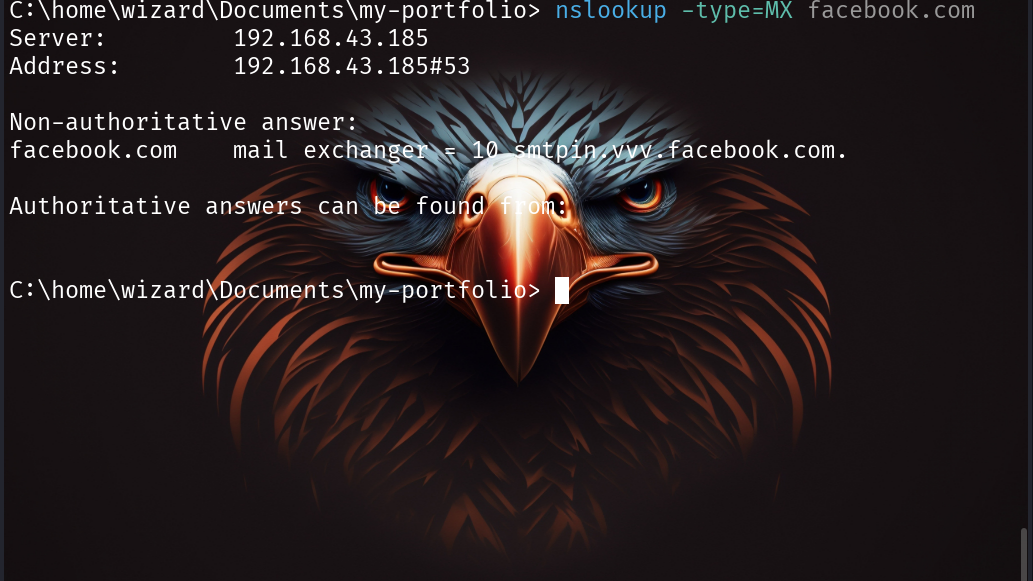
🌍 Shodan & Censys - Uncovering Exposed Infrastructure
“If Google indexes websites, Shodan indexes the internet’s devices.”
Shodan and Censys are search engines for internet-connected devices and
services.They scan and index open ports, services, SSL certs, HTTP
banners, metadata, and more,Think of them as a CTO’s nightmare and a
recon hacker’s best friend.They can reveal: Publicly exposed
servers/devices (even if subdomains don’t exist!), Leaky metadata in
HTTP headers or SSL certs,Specific tech stack in use (e.g., Apache
Tomcat, Nginx, Jenkins),Misconfigurations or outdated software,IoT
devices, security cams, or forgotten test servers etc. To use Shodan, go
to shodan.io and type your target server in
the search bar. For example:
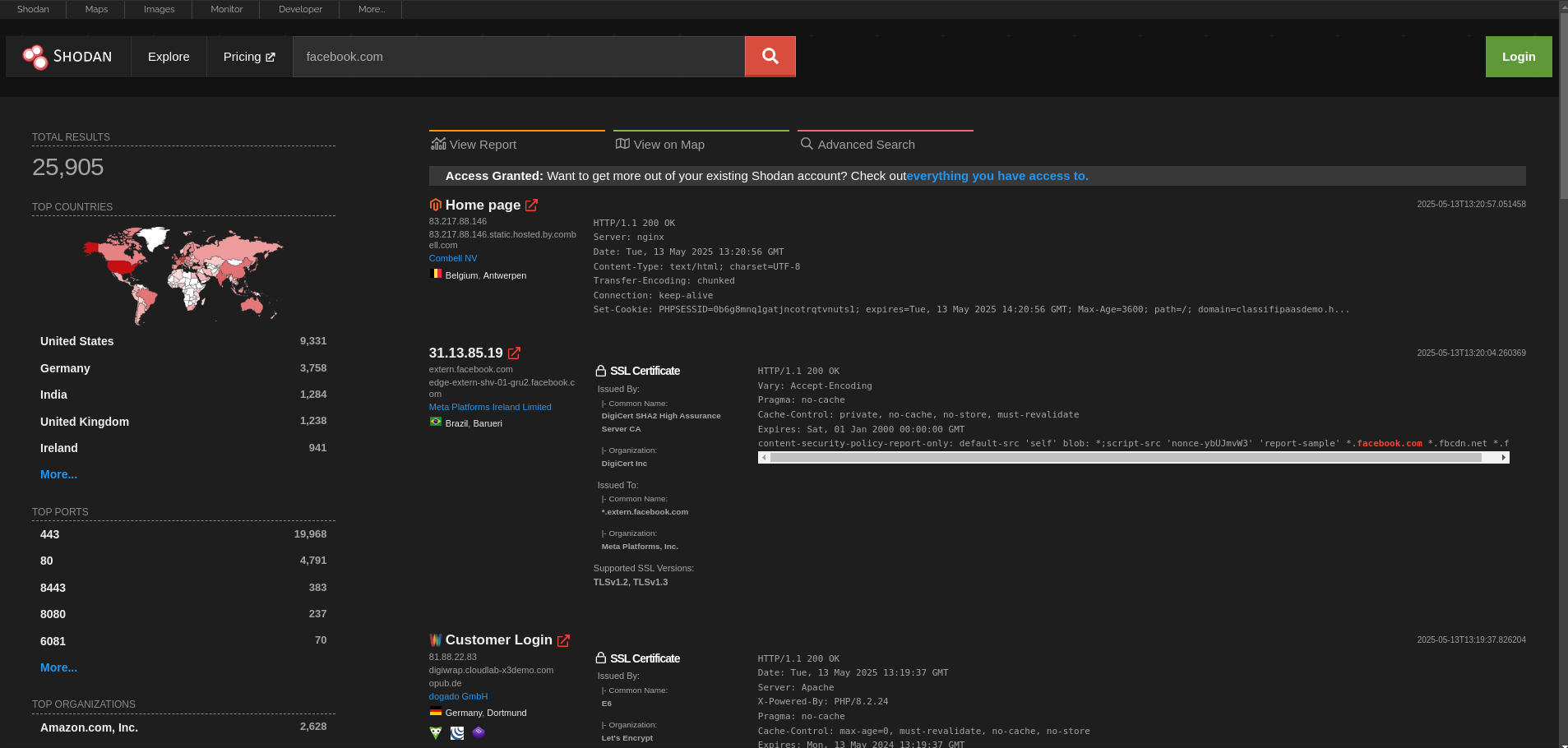 You can add advanced
filters like: Other filters:
You can add advanced
filters like: Other filters:
- org:“Company Name” – find all exposed infra owned by a company
- port:21 – exposed FTP
- product:“Apache” – find specific tech stack
- country:“US” – filter geographically Censys is similar but focuses
more on certificate and IP infrastructure data, To use Censys, go to
search.censys.io and type your target
name in the search bar like this:
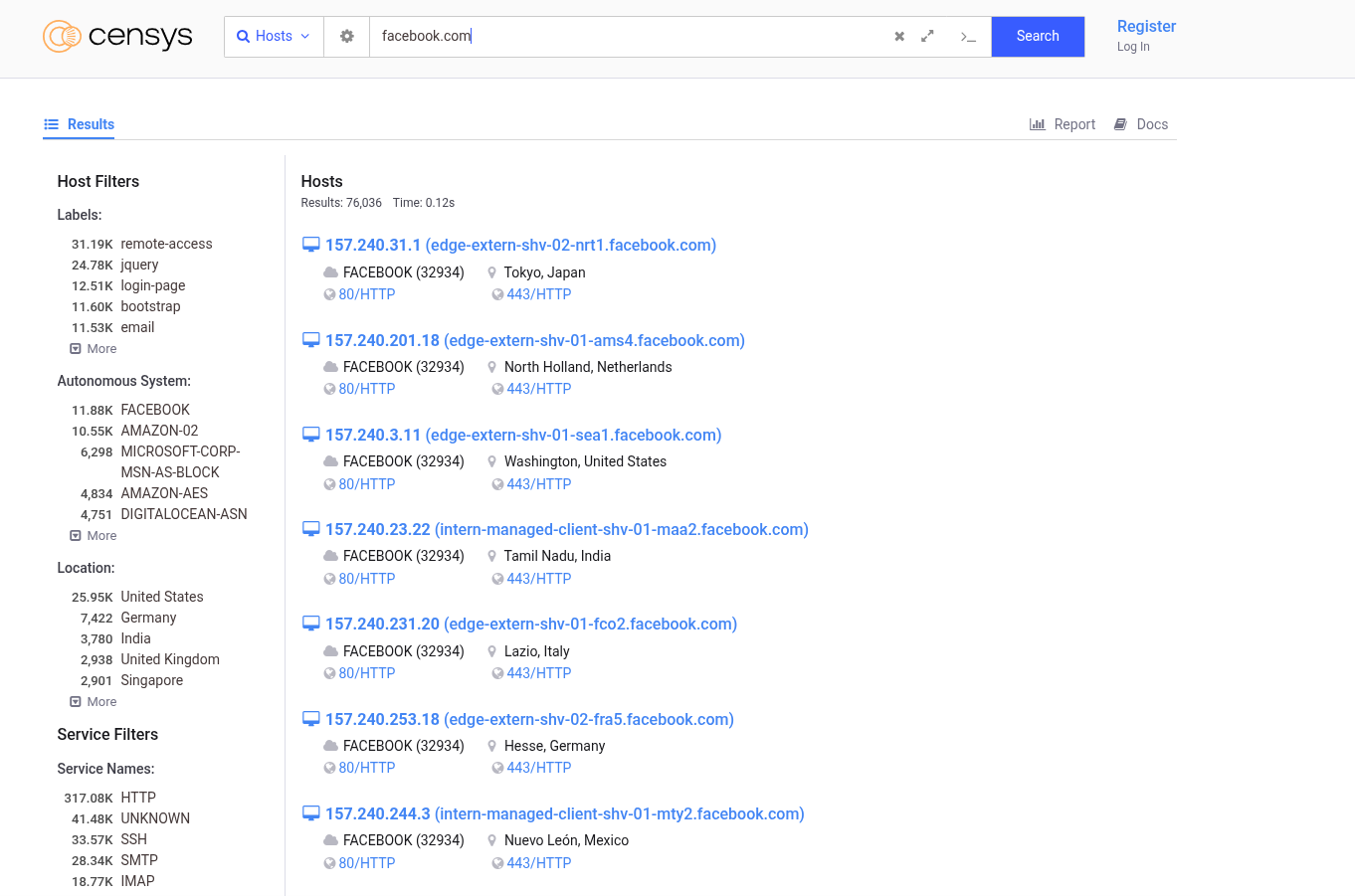 Censys also have
various filters like:
Censys also have
various filters like: - ip – direct IP search
- services.http.response.body – search by response content
- autonomous_system.name – scan by ASN
🕵️♂️ Google Dorking – Hacking with Google Search
“Why break in when Google left the door wide open?”
Google Dorking, or Google hacking, is the art of using advanced Google search operators to find sensitive information unintentionally exposed on the internet.It’s one of the most underrated yet powerful recon techniques — you’d be surprised what you can uncover with just a browser. Some common google dorks are:
| Dork | Purpose |
|---|---|
site:target.com |
Search only within the target domain |
intitle:"index of" |
Discover open directories |
filetype:pdf site:target.com |
Find PDFs under the domain |
inurl:login |
Login portals and panels |
ext:log site:target.com |
Find log files |
intext:"password" filetype:txt |
Plaintext password leaks |
site:pastebin.com "target.com" |
Info leaks from Pastebin |
site:github.com "target.com" |
Sensitive code or API keys on GitHub |
link:" Specified URL" |
Pages that contain links to a specified URL |
You can comnbine two or more dorks depending on the information you
want. For Example: To reveal admin panels or dashboards of a target
site, you can use: 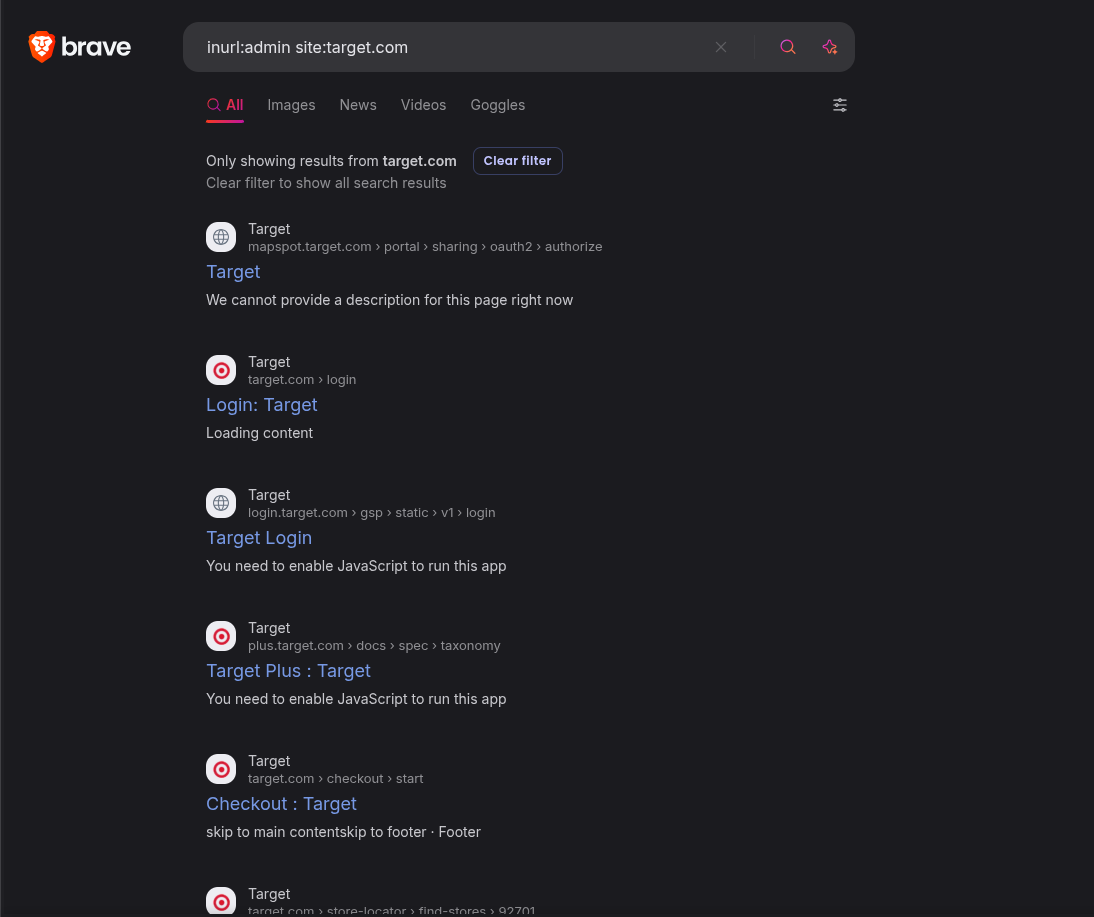 Tips for
Effective Dorking
Tips for
Effective Dorking
- Use quotes to match exact phrases.
- Combine multiple operators to narrow results.
- Search on Google Cache and Wayback Machine for deleted pages.
- Use public tools like:Exploit-DB Google Hacking DB or Google Dork Search Engine.
Active Recon Techniques
🌐 Subdomain Enumeration – Discovering the Forgotten Doors
“The real vulnerabilities often live on subdomains no one remembers.”
Subdomain enumeration is the process of discovering subdomains belonging to a target domain. These subdomains often reveal: Development or staging environments,Forgotten assets, APIs, admin panels, legacy apps,and Third-party integrations (e.g., Shopify, WordPress, Heroku).Finding them expands your attack surface, giving you more opportunities to discover misconfigurations, outdated software, or exposed credentials.(More subdomains = more chances to find bugs).
Tools that can be use for enumerating subdomains are: Sublist3r, SubBrute, Amass, Gobuster etc. Each of these tools employs a different approach to discovering subdomains, so reviewing their manual pages or documentation beforehand is recommended.
Once you’ve found a good number of subdomains, you can discover more by identifying patterns. For example, if you find two subdomains of target.com named 1.target.com and 3.target.com, you can guess that 2.target.com is probably also a valid subdomain. You can automate this process with a tool called Altdns.
And also if you know about the company’s technology stack. For example, if you’ve already learned that target.com uses spacelift, you can check if spacelift.target.com is a valid subdomain. Also look for subdomains of subdomains. After you’ve found, say, team.target.com, you might find subdomains like 1.team.example.com. You can find subdomains of subdomains by running enumeration tools recursively: add the results of your first run to your Known Domains list and run the tool again.
📁 Directory Brute Forcing - Discovering Hidden Paths
“Not all doors are locked. Some are just hidden.”
Directory brute forcing is the process of guessing directories and files on a web server by sending a list of potential paths and observing the responses.It helps uncover:
- Admin panels (/admin, /manage, etc.)
- API endpoints (/api/v1/, /graphql)
- Backup files (.zip, .bak, .old)
- Hidden pages (/test, /dev, /staging)
- Sensitive data (.env, .git, config.php)
Some popular Tools for Directory Discovery: ffuf, dirsearch, gobuster, feroxbuster, dirb etc. This tools take wordlist and make request and then analyze the response.So using a good/quality wordlist is very important here, i will recommend using wordlist from Seclists or you can also customize your own list.Manually visiting all the pages you’ve found through brute-forcing can be time-consuming. Instead, use a screenshot tool like Eyewitness to automatically verify that a page is hosted on each location and also takes screenshots of each page. In a photo gallery app, you can quickly skim these to find the interesting-looking ones. 🚩 Red Flags to Watch For
- Unprotected panels (/admin, /dashboard)
- Exposed backups (.zip, .tar, .bak)
- .git or .svn folders
- Debug files (debug.log, info.php)
- Misconfigured APIs or dev endpoints
- Outdated and Ill-maintaned pages
🚪 Port Scanning & Service Enumeration - Finding Open Doors
“Before you pick the lock, you need to find the door.”
Port scanning is the act of probing a target to discover which network ports are open. Each open port represents a service running on the server, like: SSH(22),FTP(21),HTTP(80),HTTPS(443) etc.Identifying these services is essential for service enumeration, which reveals versions, misconfigurations, and potential vulnerabilities.
Tools that you can use for port scanning: Nmap(with the -sV flag), masscan,rustscan,netcat etc. After determining the services running on the system and the open ports,dive deeper into each service Once ports are open, dive deeper into each service:
| Service | Tools/Approach |
|---|---|
| HTTP/HTTPS | curl, whatweb, nikto, ffuf |
| SSH | Check banner, brute-force (with permission) |
| FTP | Anonymous login, file listings |
| SMTP | VRFY/EXPN, banner grabbing |
| MySQL/PostgreSQL | Try default creds, version check |
| SMB | enum4linux, smbclient, smbmap |
🧾 Conclusion
Reconnaissance is the foundation of every successful web security assessment. By thoroughly exploring the target’s surface from WHOIS data and DNS records to subdomains, directories, ports, and public infrastructure you gather the intel needed to launch precise and effective attacks.
Each recon technique serves a purpose:
- Manual walkthroughs give you the human perspective.
- WHOIS & DNS lookups reveal ownership and structure.
- Subdomain & directory brute forcing expose hidden assets.
- Port scanning & service enumeration uncover the digital services in play.
- Shodan, Censys, and Google Dorks extend your reach beyond what’s visible.
In hacking, the best payload is useless if you don’t know where to point it, Recon tells you where to aim. Whether you’re doing CTFs, bug bounties, or real-world pentests, never skip recon, it often holds the keys to the kingdom.