$ cat /writeups/how-to-set-up-metasploitable-lab-for-web-hacking
How to set up Metasploitable Lab for Web Hacking
Hey there! it’s been a while. In this write-up, I’ll be showing you how to set up your own metalsploitable lab for web application security and penetration testing.
Downloading Metasploitable 2
First, go to google and search for metasploitable 2 and choose the one from sourceforge.net or visit the link provided below: (https://sourceforge.net/projects/metasploitable/). Click on Download and wait for some seconds for the zip file to download automatically.
Setting Up
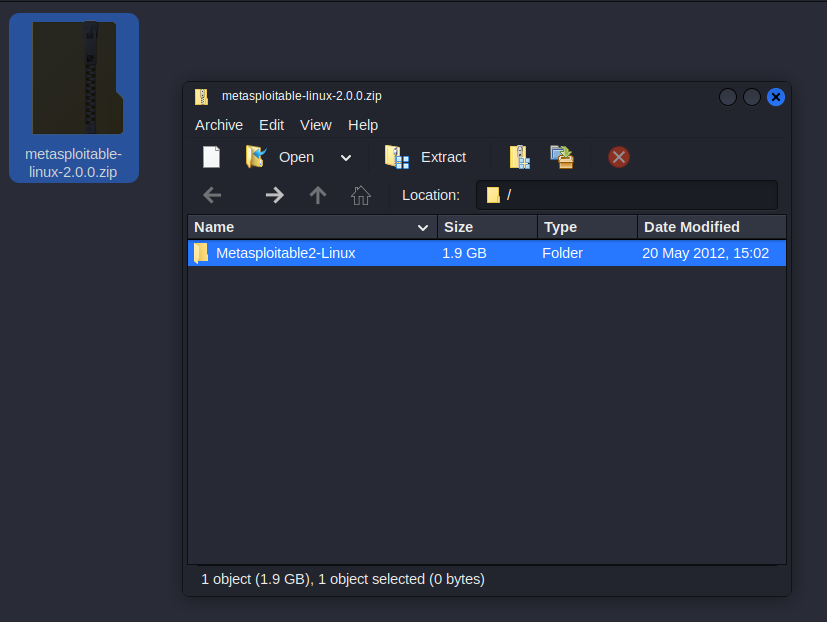
Extract the ZIP file using your preferred ZIP extractor:
 Open virtualbox,click
on New at the top, Enter:
Open virtualbox,click
on New at the top, Enter: 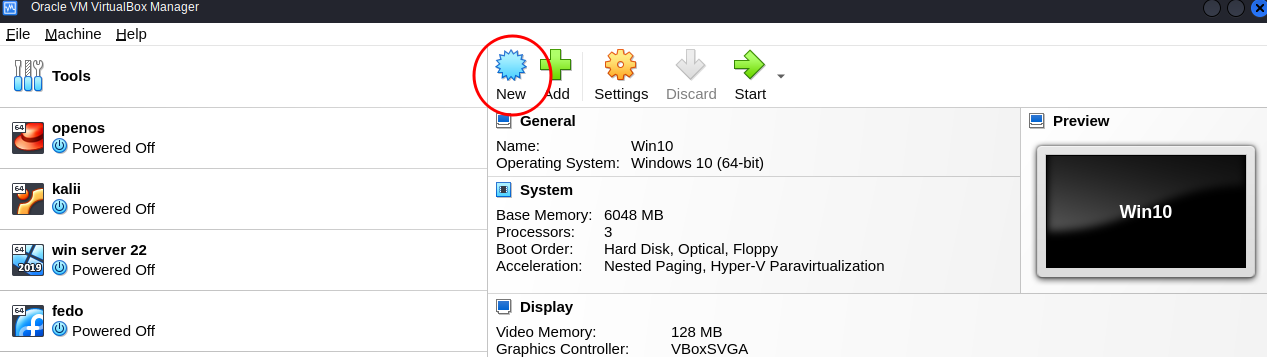 Enter the name of your
machine, make sure the “Type” and “Version” is the same as the one in
the image below.Leave the “ISO Image” field and click on next:
Enter the name of your
machine, make sure the “Type” and “Version” is the same as the one in
the image below.Leave the “ISO Image” field and click on next: 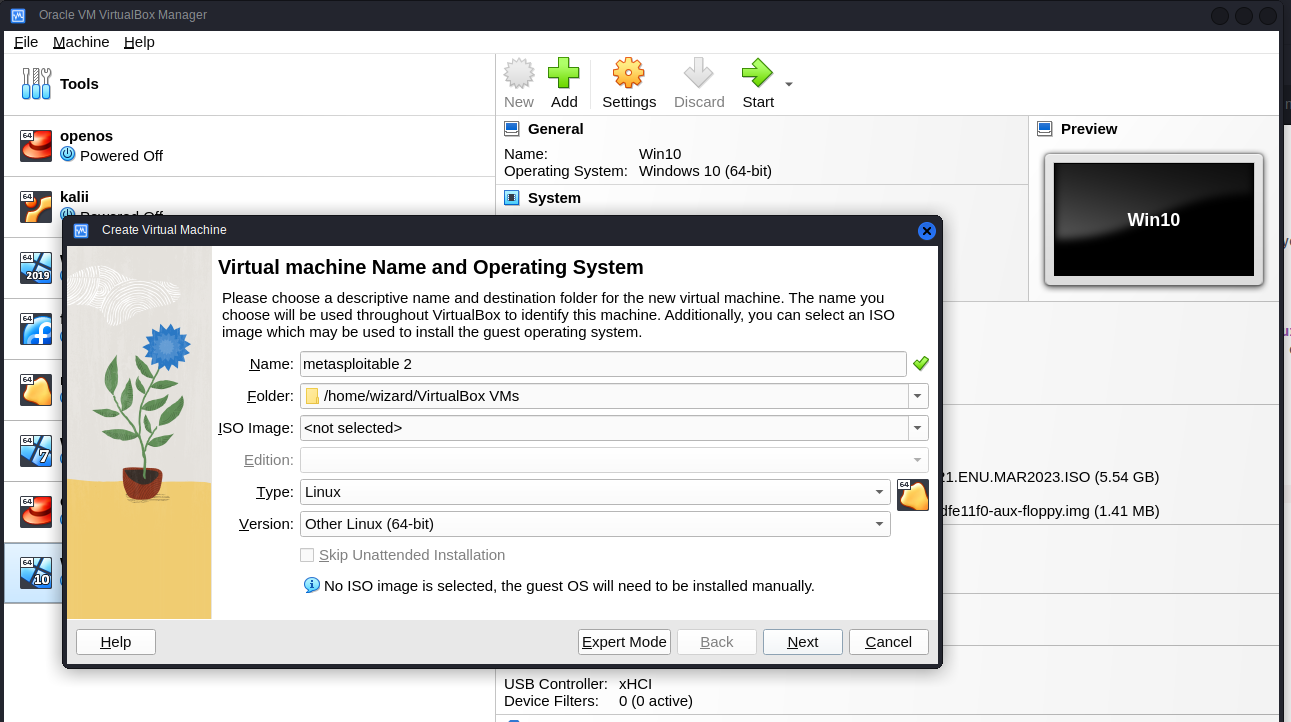 Choose your preferred RAM and
CPU size to allocate to the machine and click on next,i will use the
default size since metasploitable doesn’t require much space and
resources.
Choose your preferred RAM and
CPU size to allocate to the machine and click on next,i will use the
default size since metasploitable doesn’t require much space and
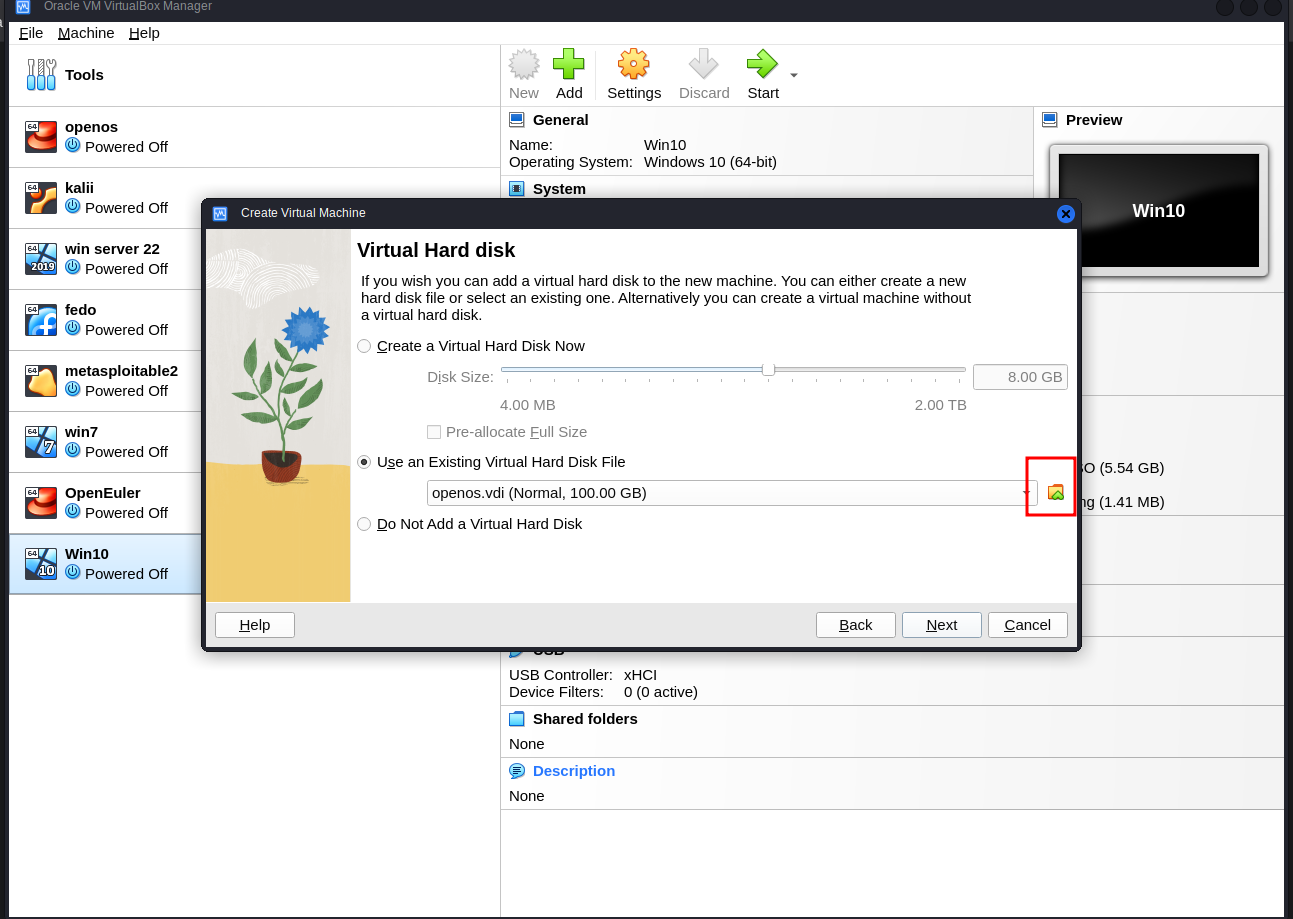
resources. 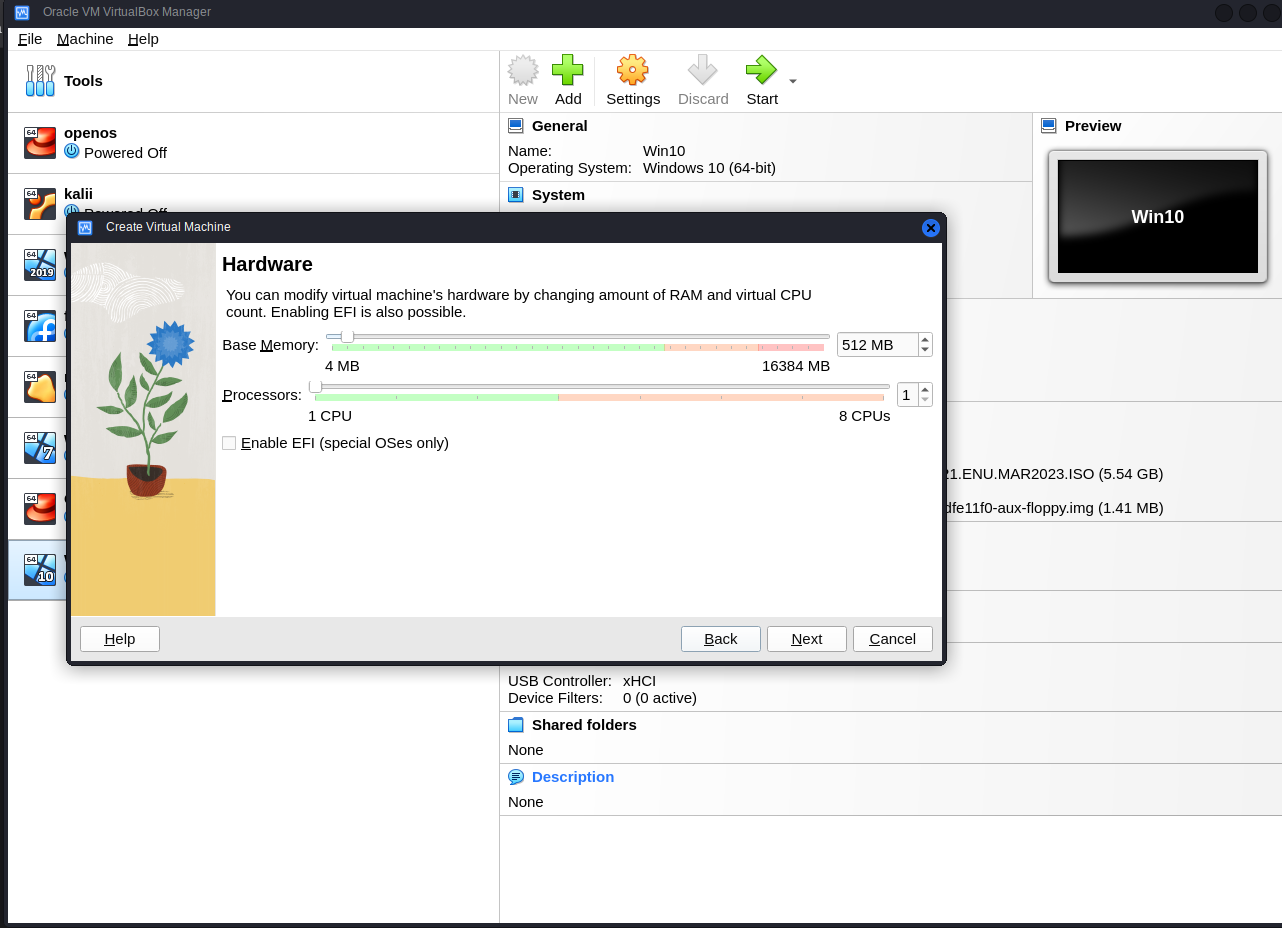 Select “Use
an Existing Virtual Hard Disk File” and click on the folder icon:
Select “Use
an Existing Virtual Hard Disk File” and click on the folder icon:
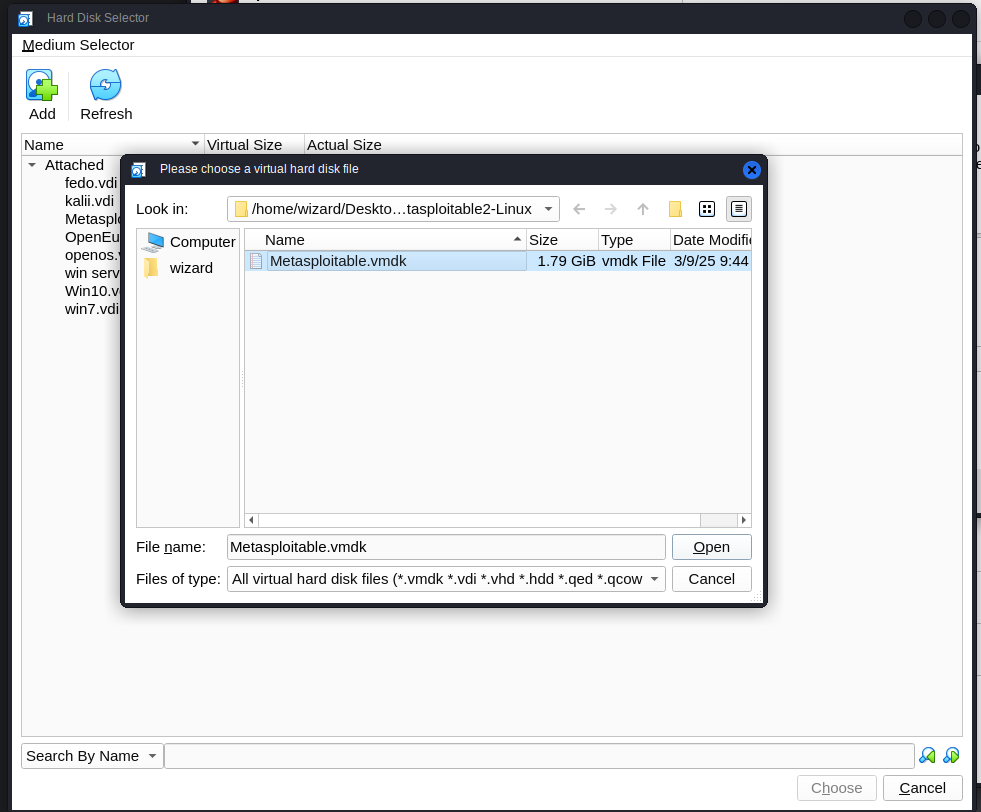
 Click on
“Add”, locate where you extracted the zip file and select
“Metasploitable.vmdk”.Click on Choose and finally next:
Click on
“Add”, locate where you extracted the zip file and select
“Metasploitable.vmdk”.Click on Choose and finally next:
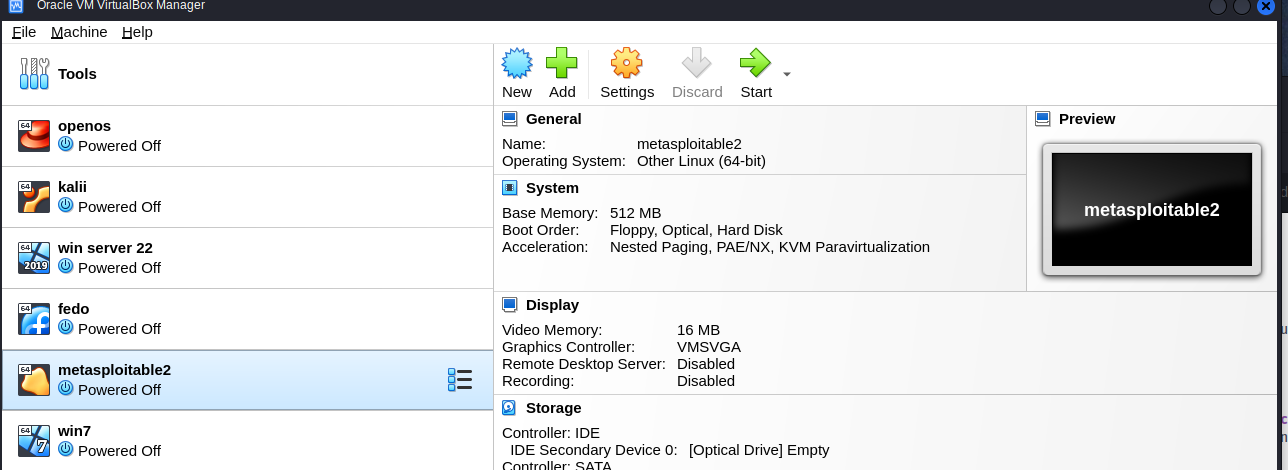
 Now click on
“Start” to boot the machine and wait for some seconds,the default
username and password is msfadmin:
Now click on
“Start” to boot the machine and wait for some seconds,the default
username and password is msfadmin:
 Type ifconfig to check
the machine’s IP Address
Type ifconfig to check
the machine’s IP Address 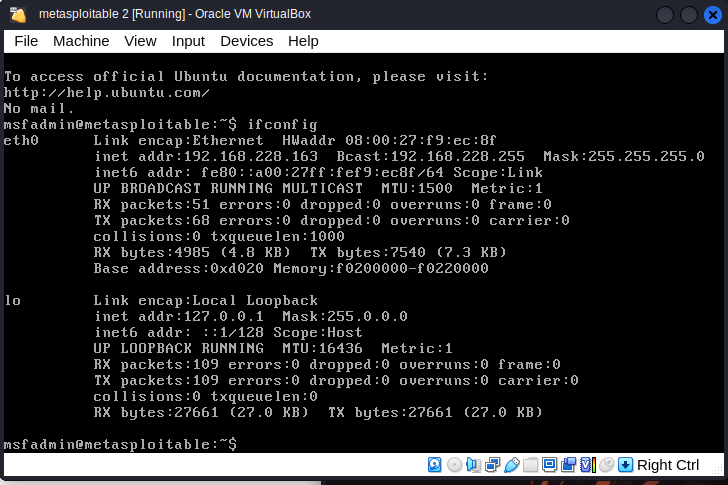 Open
your browser, paste the metasploitable ip in the search bar and you
should see the list of vulnerable servers been hosted on metasploitable
you can get your hands dirty with.
Open
your browser, paste the metasploitable ip in the search bar and you
should see the list of vulnerable servers been hosted on metasploitable
you can get your hands dirty with.
 I will do writeups on
how to hack some of these servers.
I will do writeups on
how to hack some of these servers.
Thanks for reading. Happy hacking <3